17
EN
Getting Started
Dolby Surround Setup
Adjusting the speaker volume Z
Use the remote while seated in your listening position
to adjust the volume of each speaker.
Note
This amplifier incorporates a new test tone with a frequency
centered at 800 Hz for easier speaker volume adjustment.
TEST TONE
REAR
LEVEL +/–
CENTER
LEVEL +/–
SOUND FIELD
ON/OFF
GENRE MODE
DIGITAL
PROCESSING
CONTROL
SLOPEBAND
EQ/
TONE
DIGTAL
PROCESSING
CONTROL
PROGRAMMABLE
—
LEVEL
—
DIRECT
REAR
BASS
BOOST
MUTING
CENTER
MASTER
VOL
MODEGENRE
—
SOUND FIELD
—
ON/OFF
TEST
TONE
++
––
POSITION– SUB CH +
—
RMS
—
SWAP
ANT
TV/VTR
=)0+
D. SKIP
CLEARDIRECTION P IN P JUMP
p(
DPC
MODE
9Pr
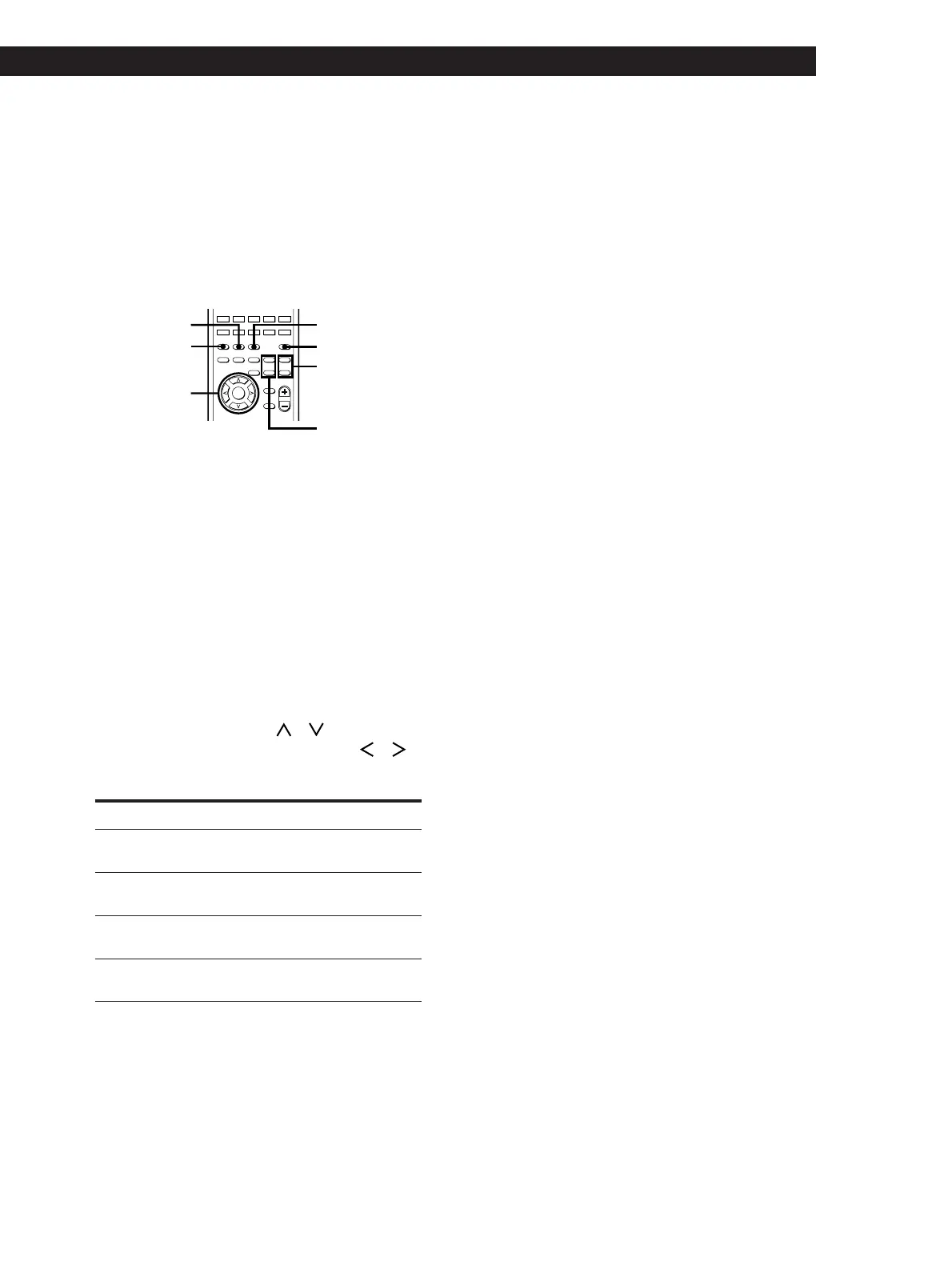
1 Press SOUND FIELD ON/OFF to turn on the
sound field.
2 Press GENRE repeatedly to select “DOLBY.”
3 Press MODE to select “NORMAL SURROUND”
or “ENHANCED SURROUND.”
4 Press TEST TONE.
You will hear the test tone from each speaker in
sequence.
5 From your listening position, use the digital
processing control buttons (
/ ) to select the
parameter to be set and use the buttons (
/ )
to select the setting so that the test tone can be
heard at the same level from all speakers.
To adjust Select And set between
rear speaker
balance
REAR L R L (left) and R (right)
rear speaker
level
REAR –20.0dB and +10.0dB
(in 0.5 dB steps)
center speaker
level
CENTER –20.0dB and +10.0dB
(in 0.5 dB steps)
subwoofer
level
SUB WOOFER –20.0dB and +10.0dB
(in 0.5 dB steps)
During adjustment of the respective speaker level/
balance, the test tone is output from the speaker(s)
only.
After adjusting the subwoofer level, the test tone
turns off automatically.
To turn off the test tone
Press TEST TONE.
z You can use other buttons to adjust the center and
rear speaker level
Press CENTER LEVEL +/– or REAR LEVEL +/– in Step
5 above.
Notes
• Be sure to select “NORMAL SURROUND” or
“ENHANCED SURROUND” before outputting the test
tone.
• The test tone is not output when ”MUTING” appears in
the display.


 To Next Page