EasyManua.ls Logo

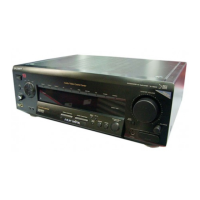
Sony TA-VE910 - Quick Reference Guide

Sony TA-VE910
126 pages
Print Icon
To Next Page IconTo Next Page
To Previous Page IconTo Previous Page
Loading...
34
EN
Advanced Remote OperationsQuick Reference Guide
Selecting a
Component
Example1: Playing a CD
AUDIO FUNCTION
Press repeatedly until
the CD indicator
lights up.
v
Turn on the CD player.
v
Start playing.
Example2: Watching a video
tape
VIDEO FUNCTION
Press repeatedly until
the VIDEO 1 indicator
lights up.
v
Turn on the VCR.
v
Start playing.
Using Pre-
programmed Sound
Fields
Example: Watching a Dolby
Surround-encoded movie on
a laser disc player connected
to LD
AUDIO FUNCTION
Press repeatedly until
the LD indicator
lights up.
v
SOUND FIELD
ON / OFF
v
GENRE
Press repeatedly to
select DOLBY.
v
MODE
Press repeatedly to
select NORMAL
SURROUND or
ENHANCED
SURROUND.
v
Turn on the LD player.
v
Start playing.

Table of Contents

Other manuals for Sony TA-VE910

Related product manuals