EasyManua.ls Logo

Sony TCM-2 - Page 9

Sony TCM-2
15 pages
Print Icon
To Next Page IconTo Next Page
To Previous Page IconTo Previous Page
Loading...
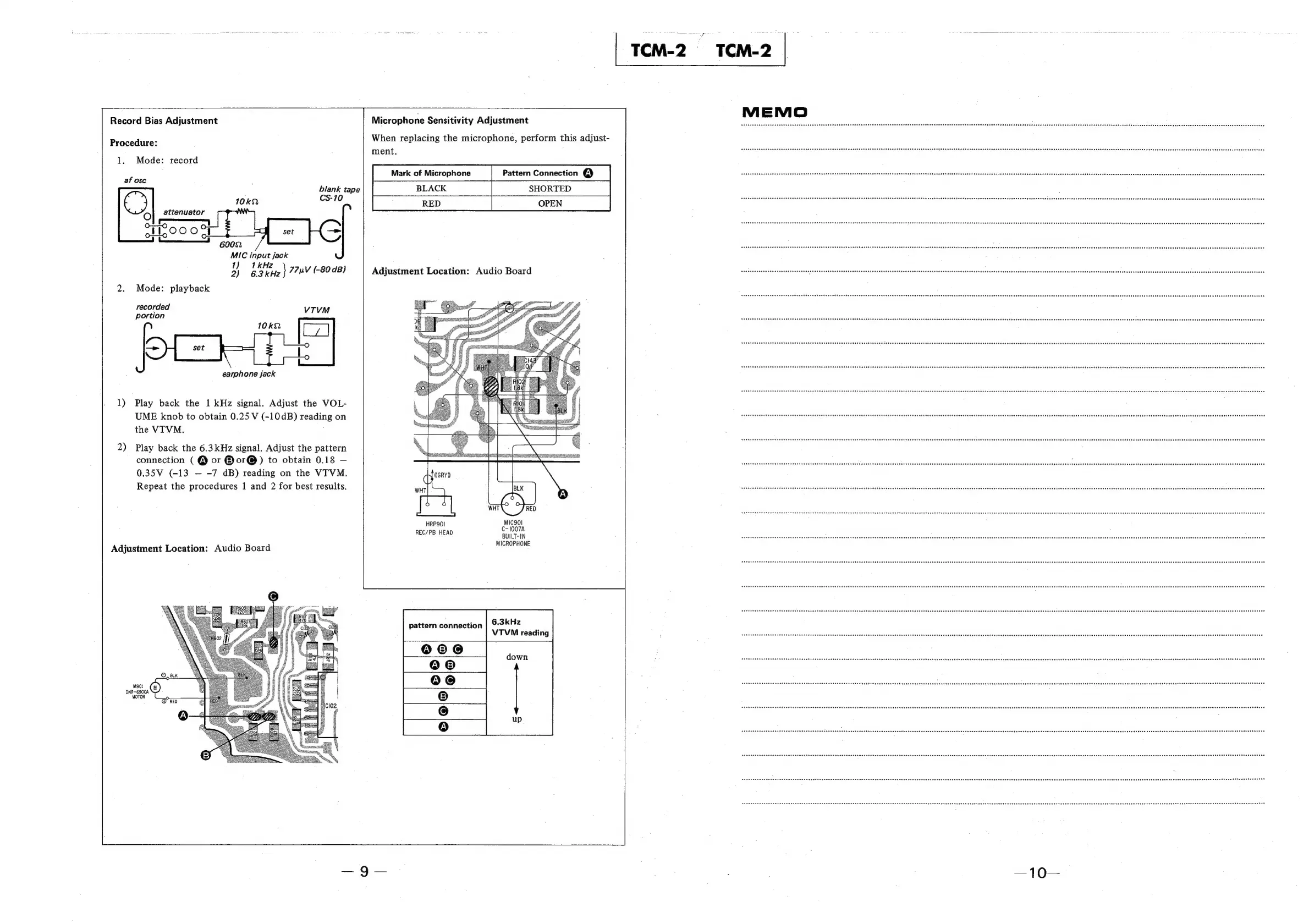
Record
Bias
Adjustment
Procedure:
1.
Mode:
record
af
osc
;
blank
tape
€)
ie
CS-10
O
attenuator
oS
;
HOO
ed
|
MIC
input
jack
1)
1kHz
2)
ge
77nV
(-80
dB)
2.
Mode:
playback
recorded
VTVM
portion
earphone
jack
1)
Play
back
the
1
kHz
signal.
Adjust
the
VOL-
UME
knob
to
obtain
0.25
V
(-10dB)
reading
on
the
VTVM.
2)
Play
back
the
6.3kHz
signal.
Adjust
the
pattern
connection
(
@
or
@or@)
to
obtain
0.18
0.35V
(-13
-7
dB)
reading
on
the
VTVM.
Repeat
the
procedures
1
and
2
for
best
results.
Adjustment
Location:
Audio
Board
Microphone
Sensitivity
Adjustment
When
replacing
the
microphone,
perform
this
adjust-
ment.
BLACK
SHORTED
RED
OPEN
Adjustment
Location:
Audio
Board
GRY)
WHT
a
HRP9OI
MIC90I
REC/PB
HEAD
C-1007A
BUILT-IN
MICROPHONE
6.3kHz
VTVM
reading
pattern
connection
down