Operations
10
-EN
Adjusting the
picture
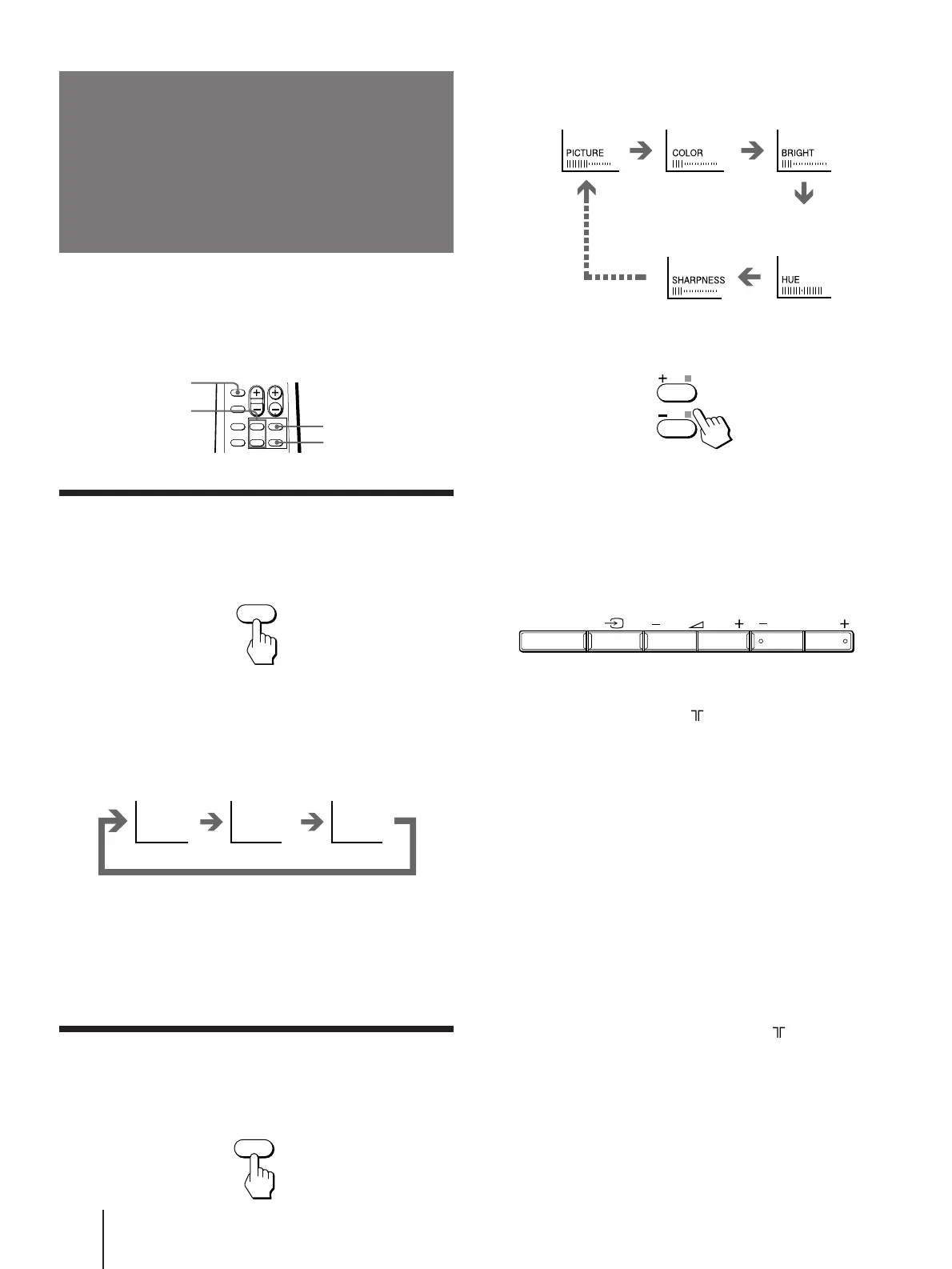
Each time you press SELECT, the screen changes as
follows:
2 Press +/– to adjust the item.
3 To adjust other items, repeat steps 1 and 2.
Note
• You can also use SELECT and . +/– on the TV to adjust the
picture setting.
If the picture color is abnormal when receiving
programs through the (antenna) terminal
Change the “TV SYSTEM” (for KV-J21MF2J/J14M1J) or
“COLOR SYSTEM” setting or adjust the “COLOR”
level in the on-screen display until the color becomes
normal.
If the picture is abnormal when receiving
programs through the
…
(video input) jack
Change the “COLOR SYSTEM” setting or adjust the
“COLOR” level in the on-screen display until the color
becomes normal.
Note
• Normally set “COLOR SYSTEM” to “AUTO”.
If the sound is distorted or noisy when
receiving programs through the (antenna)
terminal
Change the “TV SYSTEM” setting (for KV-J21MF2J/
J14M1J) in the on-screen display until the sound
becomes clear.
Note on the SOUND MODE button
• The sound mode feature is unavailable for your TV. Thus, the
SOUND MODE button on the remote commander is not used
for your TV.
Selecting the picture mode
Press PIC MODE until the mode you want
appears.
Each time you press PIC MODE, the screen changes as
follows:
Note
• If you change the picture mode after the following
adjustments, the adjustment changes in accordance with the
picture mode.
Adjusting the picture setting
1 Press SELECT until the item you want to
adjust appears.
SOUND
MODE
SELECT
PIC MODE
PIC MODE
High contrast
picture
Soft picture
(good for video
games)
DYNAMIC STANDARDSOFT
+/–
SELECT
Normal
picture
Front of TV
(Operative for
NTSC signal
only)
SELECT PROGR



 To Next Page