Getting Started
6
-EN
Presetting channels
If the picture color is poor and/or the sound is
noisy (for KV-J21MF2J/J14M1J)
Select the appropriate TV system as follows:
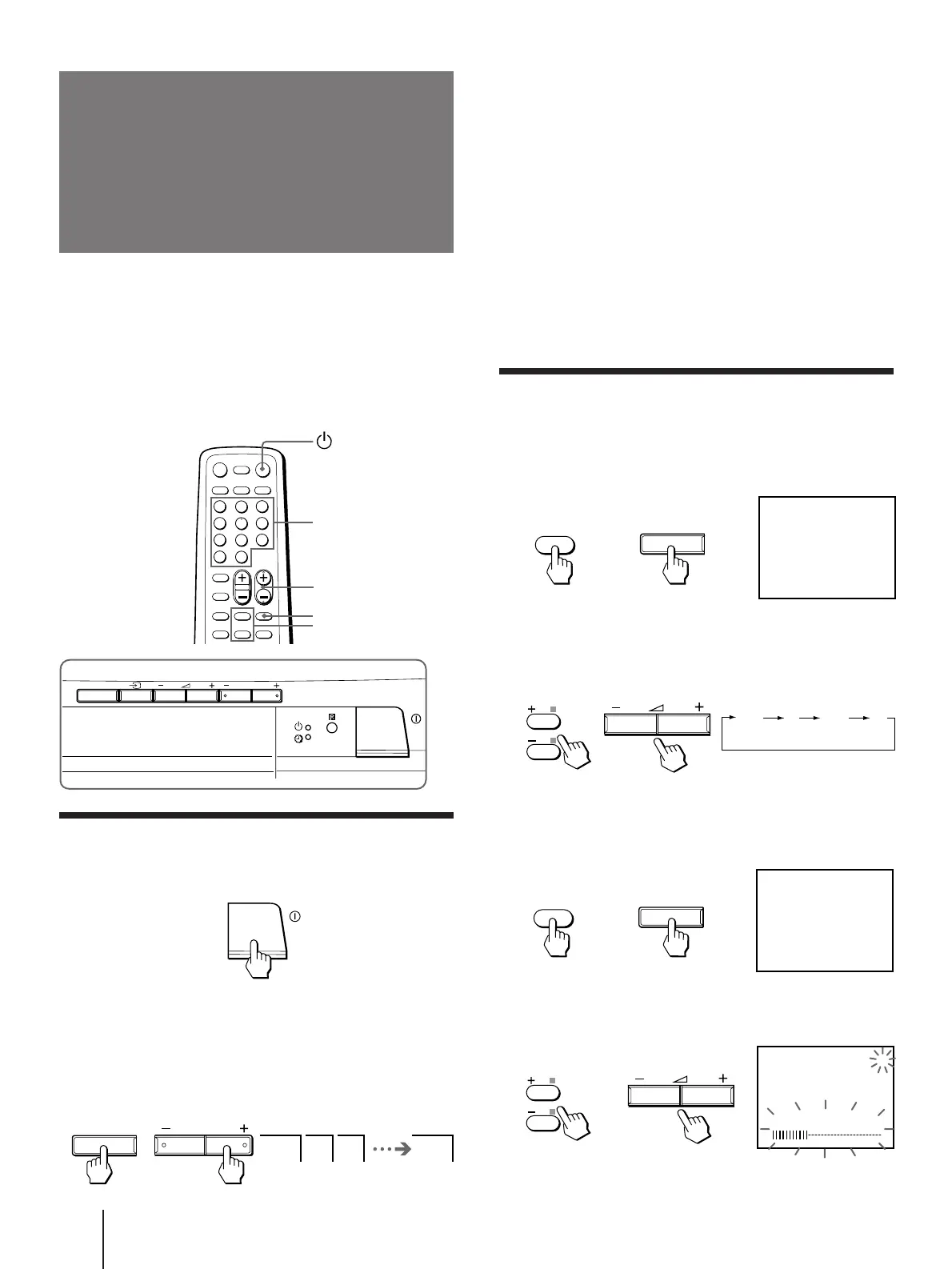
1 Press SELECT on the remote commander or the TV
until “TV SYSTEM” appears.
2 Press +/– on the remote commander or . +/– on
the TV until the picture and sound become normal.
Notes
• If you do not know your local TV system, consult your nearest
authorized service center or dealer.
• The setting of the “TV SYSTEM” is memorized for each
program position.
Presetting channels automatically
1 Press SELECT on the remote commander or
the TV until “TV SYSTEM” appears on the
screen (for KV-J21MF2J/J14M1J).
2 Press +/– on the remote commander or
. +/– on the TV to select the TV system
(for KV-J21MF2J/J14M1J).
3 Press SELECT on the remote commander or
the TV until “AUTO PROGRAM” appears on
the screen.
4 Press +/– on the remote commander or
. +/– on the TV.
You can preset up to 100 TV channels in numerical
sequence from program position 1 using the buttons on
the remote commander or the TV.
You can preset TV channels quickly, automatically or
manually.
Quick channel presetting
1 Press U to turn on the TV.
When the TV is turned on in standby mode, press
u
on the remote commander.
2 Press SELECT and PROGR + on the TV
simultaneously for one to two seconds.
Front of TV
Remote commander
Number
PROGR +/–
+/–
SELECT
1 2 3 1
SELECT PROGR
SELECT PROGR
or
or
or
or




 To Next Page