7
Getting Started
-EN
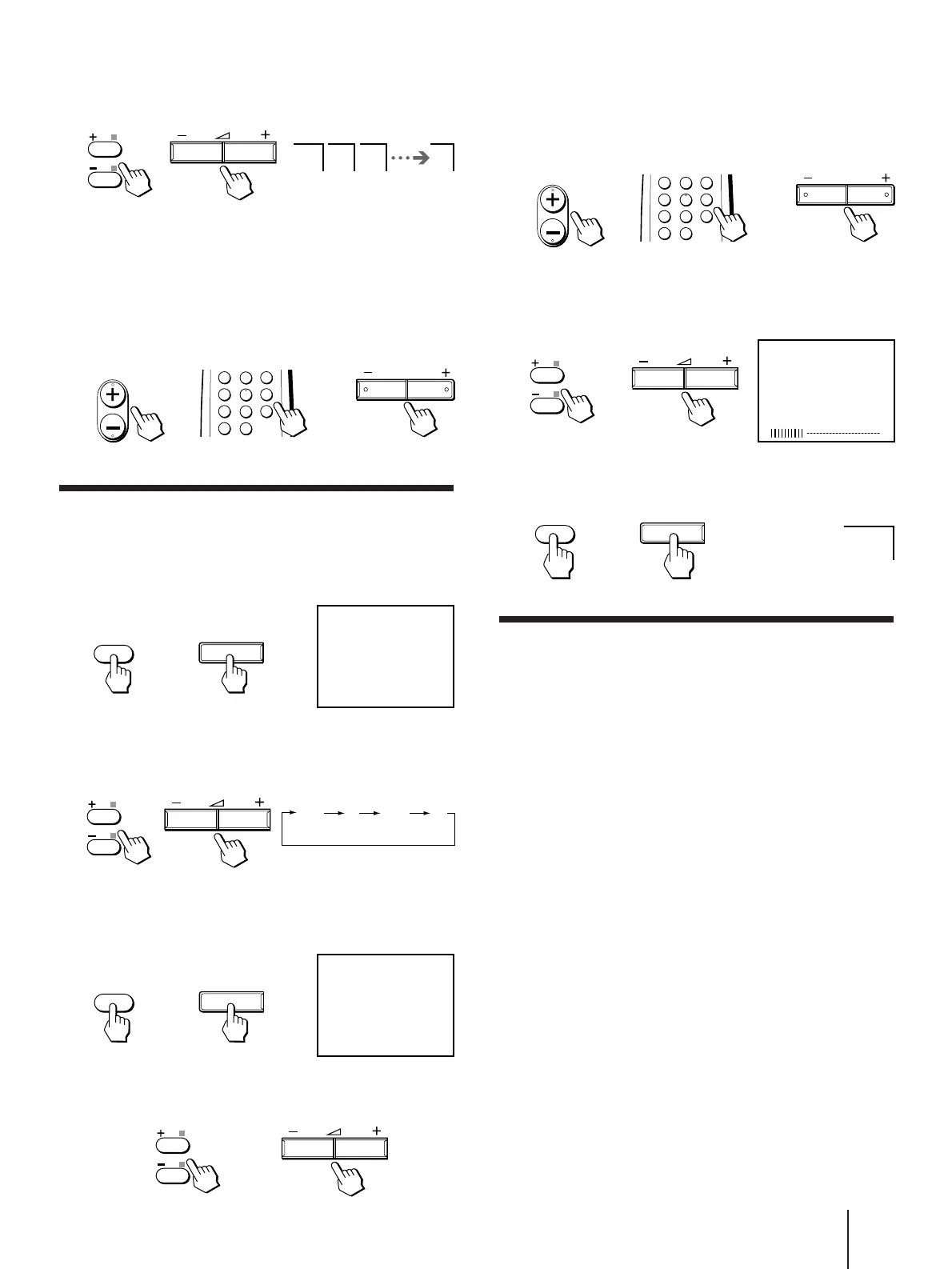
5 Press PROGR +/– or number buttons on the
remote commander or PROGR +/– on the TV
until the required program position
appears on the screen.
6 Press +/– on the remote commander or
. +/– on the TV until the required channel
picture appears on the screen.
7 Press SELECT on the remote commander or
the TV.
Disabling program positions
1 Press PROGR +/– or number buttons on the
remote commander or PROGR +/– on the TV
until the unused or unwanted program
position appears on the screen.
2 Press SELECT on the remote commander or
the TV until “MANUAL PROGRAM” appears
on the screen.
3 Press +/– on the remote commander or
. +/– on the TV.
4 Press PIC MODE on the remote commander.
5 Press SELECT on the remote commander or
the TV.
To preset the disabled program position again
Preset the channel quickly, automatically or manually
.
5 Press +/– on the remote commander or
. +/– on the TV again.
To start presetting channels automatically
from the specified program position
Press PROGR +/– or number buttons on the remote
commander or PROGR +/– on the TV until the
required program position appears on the screen after
step 4 of “Presetting channels automatically”.
Presetting channels manually
1
Press SELECT on the remote commander or the
TV until “TV SYSTEM” appears on the screen
(for KV-J21MF2J/J14M1J).
2 Press +/– on the remote commander or
.
+/– on the TV to select the TV system
(for KV-J21MF2J/J14M1J).
3 Press SELECT on the remote commander or
the TV until “MANUAL PROGRAM” appears
on the screen.
4 Press +/– on the remote commander or
. +/– on the TV.
1 2 3 1
or
1
2
3
4
6
7
8
9
÷
0
5
PROGR
PROGR
or
or
TV SYSTEM
SELECT
SELECT
or
B/G I D/K M
or
MANUAL PROGRAM
SELECT
SELECT
or
or
or
or
or
or




 To Next Page