Operations
8
-EN
Watching the TV
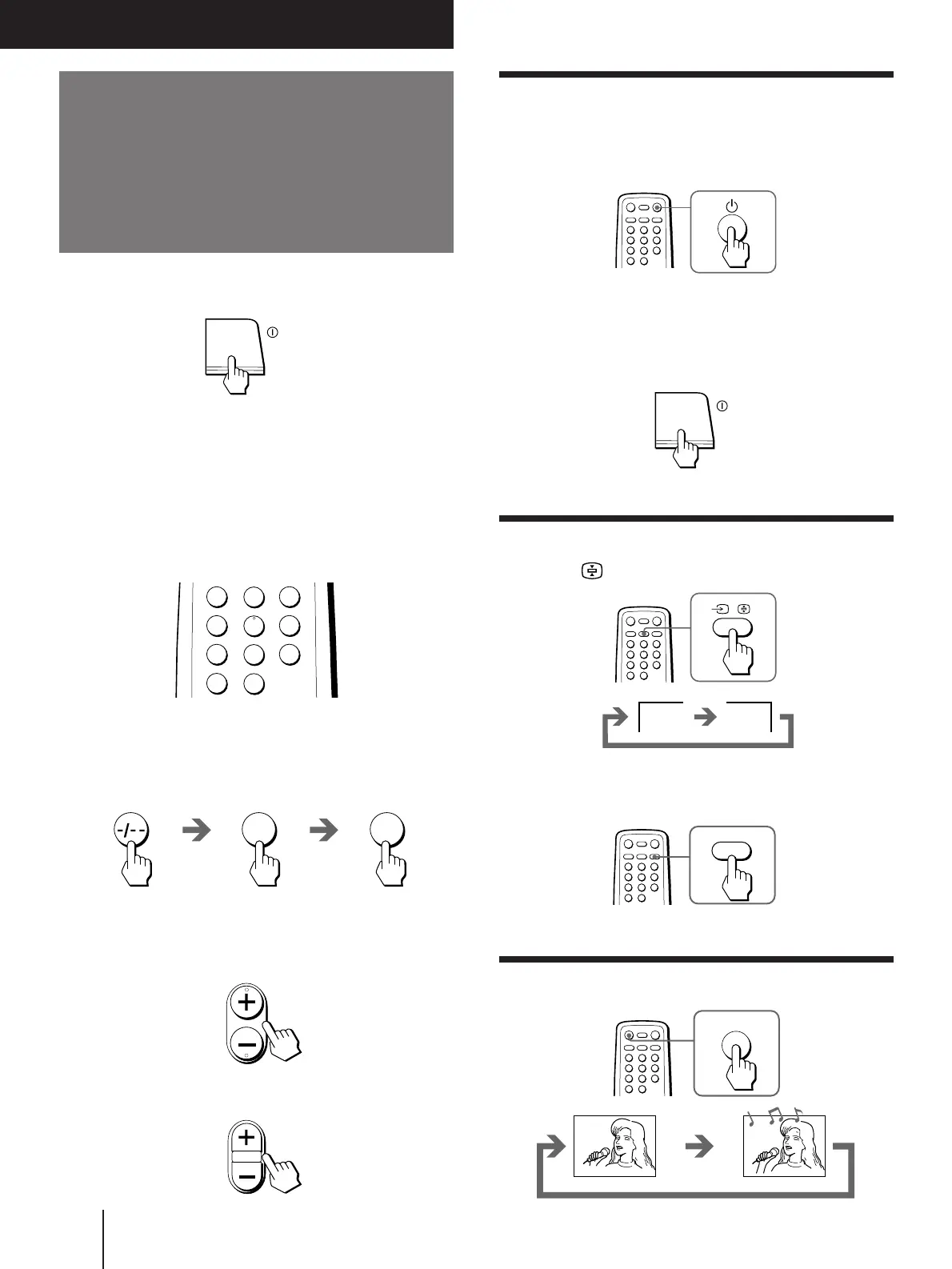
Turning off the TV
To turn off the TV temporarily
Press
u
on the remote commander. The
u
indicator
on the TV lights up.
To turn off the TV completely
Press U on the TV.
If the power on the TV is turned off in standby mode, the
u
indicator on the TV may remain alight for a while.
Watching the video input
Press … .
To watch TV
Press
;
.
Muting the sound
Press ¤.
1 Press U to turn on the TV.
When the TV is turned on in standby mode, press
u
on the remote commander.
2 Select the TV program you want to watch.
To select a program position directly
Press the number button.
To select a two-digit program position, press
“-/--” before the number buttons.
For example: to select program position 25, press
“-/--,” and then “2” and “5.”
To scan through program positions
Press PROGR +/– until the program position you
want appears.
3 Press . +/– to adjust the volume.
1
2
3
4
6
7
8
9
÷
0
5
PROGR
Operations
.
¤
MUTING
VIDEO
1
2 5




 To Next Page