KV-25X3
— 18 —
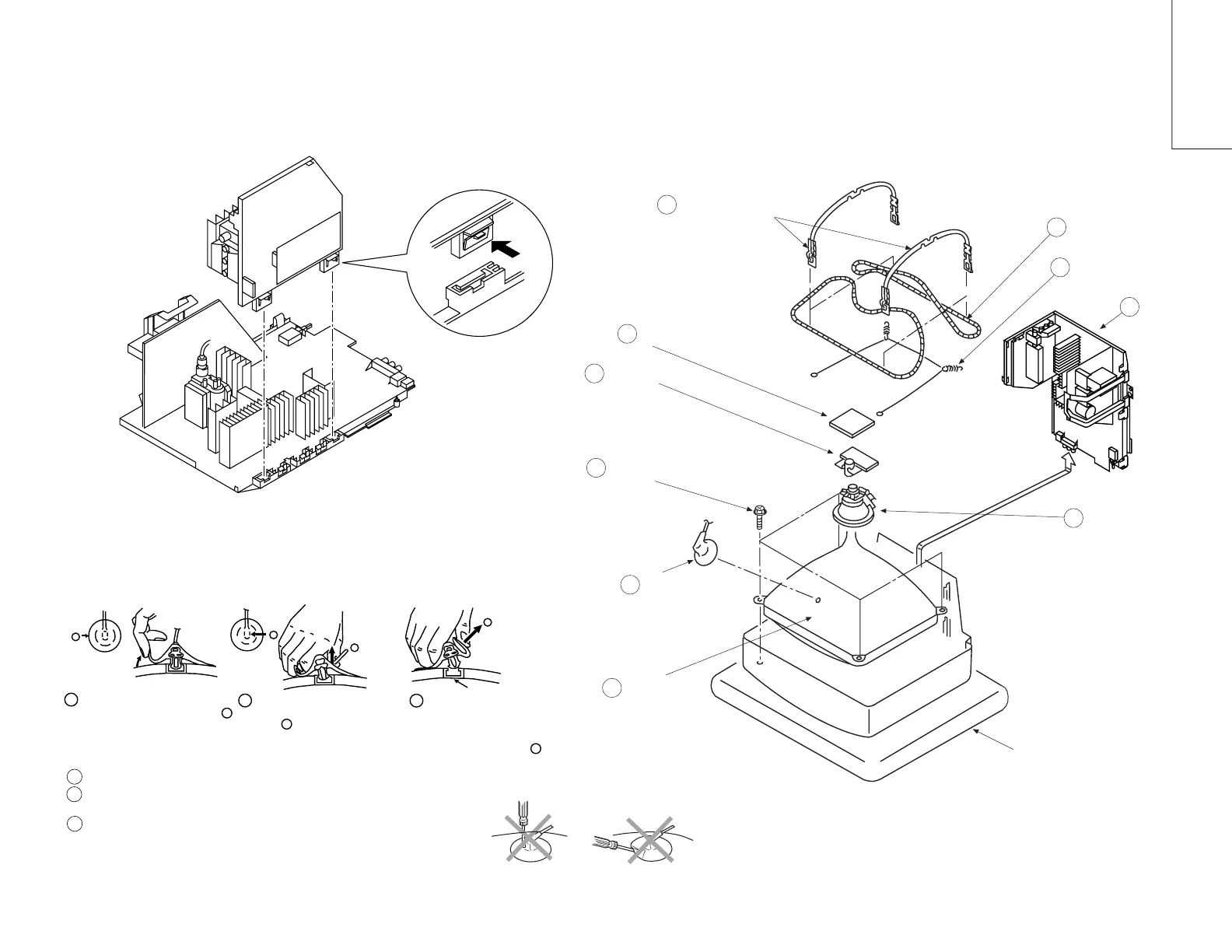
2-5. A BOARD REMOVAL 2-6. PICTURE TUBE REMOVAL
1
2
3
• HOW TO HANDLE AN ANODE-CAP
Don't damage the surface of anode-cap with sharp shaped material !
Don't press the rubber hardly not to hurt inside of anode-caps !
A metal fitting called a shatter-hook terminal is built into the rubber.
Don’t turn the foot of rubber over hardly !
The shatter-hook terminal will stick out or damage the rubber
.
b
b
Anode button
a
* REMOVING PROCEDURES.
c
Turn up one side of the rubber cap in
the direction indicated by the arrow a
1
2 Using a thumb pull up the rubber cap
firmly in the direction indicated by the
arrow b
3 When one side of the rubber cap is
separated from the anode button, the
anode-cap can be removed by turning
up the rubber cap and pulling it up in
the direction of the arrow c
• REMOVAL OF ANODE-CAP
Note:
Short circuit the anode of the picture tube and the anode cap to the metal chassis, CRT shield or
carbon paint on the CRT, after removing the anode.
Push the claw of the bracket
in the direction of the arrow
and remove.
Cushion
Picture tube
Anode cap
Chassis
Four tapping screws (M)
Spring tension
C board
Degaussing coil
Deflection Yoke
Two DGC Holders
Neck Assembly
8
7
2
6
3
4
9
1
5
10



 To Next Page