·:,/.·-·.•.»."· . .;"
Location and Function of Part~ anti ~~ntrols ·
. ,,.
~ ~
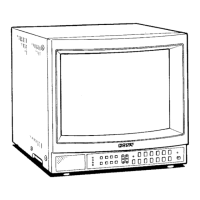
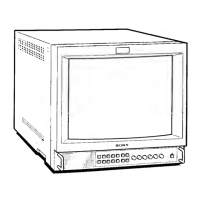
PVM-1353MD
Front Panel . . .
~
00000
.00 000000 o n
L.___Joc~c -co : LJ
0 Tally indicator
This indicator lights up when the video camera
connected to this monitor is selected, indicating that the
picture is being recorded. The tally control connection is
needed.
For the
pin assignment, see "Specifications" on page 14.
8 CD POWER switch and indicator
Depress to turn the monitor on. The indicator will light
up in green. To turn the power off, press this again.
E) REMOTE indicator
This indicator lights up in the conditions below:
- When PRESET is set to ON in the menu.
- When REMOTE (RS-232C) is set to REMOTE
ONLY or REMOTE
& LOCAL in the menu, or
- When REMOTE ON is set via the REMOTE l
terminal.
0 A VOLUME control
Turn this control clockwise or counterclockwise to
obtain the desired volume.
0 0 CONTRAST control
Turn clockwise to make the contrast stronger and
counterclockwise to make it weaker.
0 .,.,,, PHASE control
This control is effective only for the NTSC color
system. Turn clockwise to make the skin tones greenish
4 and counterclockwise to make them purplish.
-b·
~
,,,:,,, 0 .Ll
SRiciHT CHROMA PHASE CONTRAST VOLUME
REMOTE
0
~
CHROMA (chrominance) control
Turn clockwise to make the color intensity stronger and
counterclockwise to make it weaker.
(l) ·¢.· BRIGHT (brightness) control
Turn clockwise for more brightness and
counterclockwise for less.
0 CD APERTURE control
Turn clockwise for more sharpness and
counterclockwise for Jess.
When the control is set to
MIN. the picture becomes flat
without need for corrections.
,~ma
The APERTURE,-CHROMA, PHASE control settings
have no effect on the pictures of RGB
signals.
~
CI!) MENU (EXIT) button
Press to make the menu appear.
Press to return to the
preYious sere.en in the menu.
~
ENTER (SELECT) button
Press to decide a selected item in the menu.
et(+)/ ,f. (-) buttons
Press to move the cursor (,...) or adjust selected value in
the menus.
-8-


 To Next Page
 Loading...