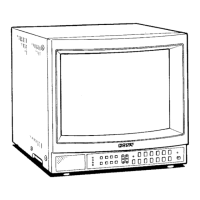
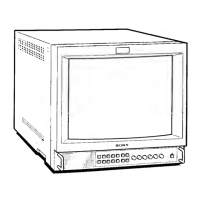
6. HORIZONTAL DEFLECTION SECTION Adjustment
(NORMAL SCAN Adjustment)
1. Input a 525 monoscopc signal.
2. Set:
CONT······ 80%
BRT·········50%
3. Put the unit into service mode.
4. Roughly adjust !NOR H SIZEj so that the size is 15.75
frames.
5. Adjust the horizontal deflection section with NOR PIN AMP
NOR PIN PHASE NOR U/L PIN SEXY V BOW
V ANGL NOR H SIZE LOW PIN AMP LOW
V BOW .
(While adjusting the parallelogram distortion and bow
distortion with V. ANGL and BOW, adjust the horizontal and
vertical lines of the screen becomes straight lines.)
6. Input a 625 monoscope signal.
7. Confirm that the screen is normal.
Normal H.Size Standards
525
625
4: 3 15.75 ± 0.2 frames
15.0
± 0.2 frames
V-ANGL
[ZZZ]
~
[I[]
BOW
rn => [I[] ¢: m
PIN-AMP
[TI]
~
[ITO ¢: [I]
PIN-PHASE
[ill]
~
[I[] ¢: [I]
U/L-PIN
a
~
illD ¢: a
SEXY
Fig. 4
PVM-1353MD/1453MD
7. HORIZONTAL DEFLECTION SECTION Adjustment
(UNDER SCAN Adjustment)
Standard value
525
625
UIS H-SIZE 252 ± 2mm
14 ..
UIS V-SIZE 188±2mm
U/SH-SIZE 364 ±3mm
20"
-
UIS V-SIZE 272 ± 3mm
1. Input a 525 monoscope signal.
2. Set:
CONT··················80%
BRT ····················50%
3. Set to U/S mode.
4. Set to service mode.
5. Adjust
I U/S V. SIZE <60> I so that UNDER V. SIZE becomes
within the standard.
6. Adjust I U/S. H. SIZE I so that UNDER H. SIZE becomes
within the standard.
7. AdjustlU/S PIN
AMPjandlU/S PIN PHASE/.
(Steps
5., 6. and 7. explains tracking adjustment.)
8. It's not favorable when the square white line is bulging out of
the effective screen after adjusted.
9. Input a 625 monoscope signal.
.
IO. Adjust I U/S V. SIZE <50> I becomes within" the standard
value.
-41-


 To Next Page
 Loading...