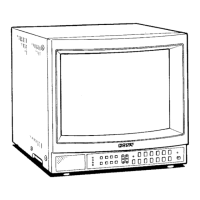
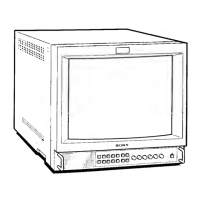
,t. '·>_ tt' .. · ' . . - · ... /\ :: ' ,-:··". ·:,:··::;:~;~::\\:;., ... >.~-~\.·:·_;;'.:\ .. :,-.· :····::·:-,·~~')(
·Attaching the Splash Proof-Coliers :· · · · ·.,_!
In order to protect the ventilation holes from splashes (of
medicines, etc.). attach the splash proof covers (supplied) as
shown below.
1
Nails on the upper edge
Splash proof covers
Making sure the arrows on the cover are facing down,
hook the nails on the upper edge into the ventilation holes.
Em
2
PVM-1453MD
'--'-I-- Nails on the
bottom edge
Push up the nails on the bottom edge and fit the co\·er into
the lowest ventilation holes.
Attach the both covers to the left and right sides.
Attach the splash proof covers to all them ventilation holes.
:,_"-¥~-' ', ,-:,~':,, ,,~,,..,,7' , -,~'· ' :
~ ~
,'~ '
Attachiqg the eOnttOllBSnel ,~over . · ......
In order to protect the control buttons on the front panel
from undesired touching, attach the supplied control panel
cover.
1
LL
~-------'---- Panel hinges
Attach the panel hinges to the left and right grips from the
inner side.
14
2
~r----
Control panel cover
Fit the bosses on the both sides of the control panel cover
into the lower holes of
the panel hinges with bending the
control panel cover a little.
-26-



 To Next Page
 Loading...