13 (GB)
Selecting the Menu Language
You can select one of six languages (English, German, French, Italian, Spanish, Japanese) for displaying the menu
and other on-screen displays.
The factory setting is ENGLISH (English).
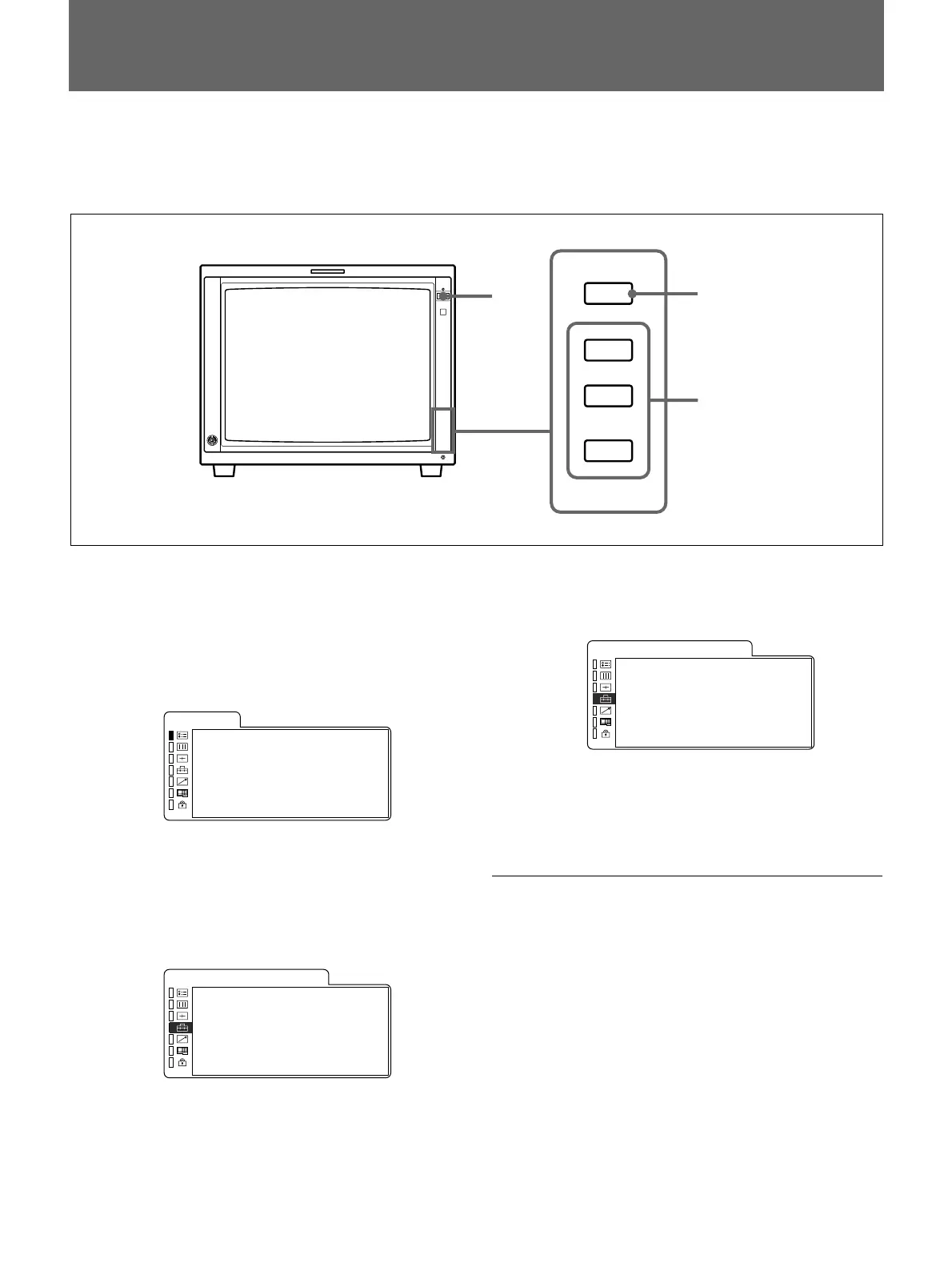
1 Press the POWER switch to turn on the monitor.
2 Press the MENU button.
The menu appears.
The menu presently selected is shown as a yellow
button.
FORMAT COMPONENT
1 480/60I
COLOR TEMP D65
COMP LEVEL SMPTE
NTSC SETUP 0
RGB / COMP SEL COMP
OPT I ON
STATUS
3 Press the UP or DOWN button to select the USER
CONFIG 1/2 (User Configuration 1/2) menu, then
press the ENTER button.
The setting items (icons) in the selected menu are
displayed in yellow.
x RGB / COMP SEL COMP
·COMP LEVEL SMPTE
·FORMAT DISP AUTO
·LANGUAGE ENGL I SH
·DEGAUSS DELAY 0
USER CONF I G 1 / 2
MENU
UP
DOWN
ENTER
4 Press the UP or DOWN button to select
“LANGUAGE,” then press the ENTER button.
The selected item is displayed in yellow.
·RGB/COMP SEL COMP
·COMP LEVEL SMPTE
·FORMAT DISP AUTO
x LANGUAGE ENGL I SH
·DEGAUSS DELAY 0
USER CONF I G 1 / 2
5 Press the UP or DOWN button to select a
language, then press the ENTER button.
The menu changes to the selected language.
To clear the menu
Press the MENU button.
The menu disappears automatically if a button is not
pressed for one minute.
1
2
3,4,5










 To Next Page