EasyManua.ls Logo

Sony Trinitron PVM-9044QM - User Manual

Sony Trinitron PVM-9044QM
10 pages
Print Icon
To Next Page IconTo Next Page
Loading...
SONYY.
Trinitrone
Color
Video
Monitor
3-754-506-21
(1)
PVM-9044QM/9041QM
PVM-9040ME
Operating
Instructions
Before
operating
the
unit,
please
read
this
manual
thoroughly
and
retain
it
for
future
reference.
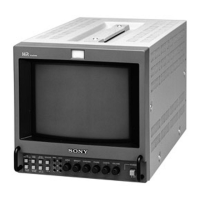
The
illustration
shows
the
PVM-9044QM/90410M.
Lillustration
présente
le
PVM-9044QM/9041QM.
Die
Abbildung
zeigt
den
PVM-9044QM/9041
QM.
L'illustrazione
mostra
il
PVM-9044QM/90410M.
©1992
by
Sony
Corporation
La
ilustraci6n
corresponde
al
PVM-9044QM/90410M.
Question and Answer IconNeed help?

Do you have a question about the Sony Trinitron PVM-9044QM and is the answer not in the manual?

Summary

Operating Instructions

Precautions

On Safety

Guidelines for preventing fire, shock hazard, and safe operation.

On Installation

Advice on proper placement and ventilation to prevent overheating.

On Cleaning and Repacking

Instructions for cleaning the unit and retaining packing materials.

Features

Color Systems and Picture Tube

Details on supported color systems and the Super Fine Pitch Trinitron picture tube.

Picture Modes and Inputs

Explains blue-only picture mode and analog/Y/C input connectors.

Signal Processing and Mounting

Covers beam feedback, comb filter, automatic termination, and rack mounting.

Front Panel Controls (PVM-9044 QM;9041 QM)

Tally Lamp and Power Controls

Identifies the tally lamp and power switch/indicator.

Picture Adjustment Controls

Explains volume, contrast, phase, chroma, brightness, and aperture controls.

Sync and Input Selectors

Describes sync selectors and input selection buttons.

Front Panel Controls (PVM-9040 ME)

Input Selectors

Details LINE/RGB and A/B, RGB/Y R-Y B-Y input selectors.

Picture and Scan Controls

Explains blue-only, underscan, and H/V delay controls.

White Balance Controls

Describes R/G/B BIAS and GAIN adjustment controls for white balance.

Rear Panel Connectors (PVM-9044 QM;9041 QM)

LINE A and LINE B Connectors

Details LINE A and LINE B connectors for signal input/output.

Other Rear Connectors

Covers RGB/Component, AC IN, EJECT buttons, and battery compartments.

Rear Panel Connectors (PVM-9040 ME)

LINE Connectors and Tally;Remote

Describes LINE connectors, TALLY/REMOTE, and EXT SYNC connectors.

Sync, Power, and Component Inputs

Explains V HOLD, DC 12V IN, RGB/COMPONENT inputs, AC IN, EJECT, and battery.

Power Sources

House Current Operation

How to connect and operate the monitor using AC power.

Rechargeable Battery Operation

Information on using battery packs for portable operation.

Specifications

Video Signal and Picture Performance

Technical specifications for video input and picture quality aspects.

Inputs, Outputs, and General Specs

Lists connectors, power, operating conditions, dimensions, and weight.

Pin Assignment

Y;C IN Connector Pinout

Details the pin configuration for the Y/C IN connector.

TALLY;REMOTE Connector Pinout

Details the pin configuration for the TALLY/REMOTE connector.

Summary

Operating Instructions

Precautions

On Safety

Guidelines for preventing fire, shock hazard, and safe operation.

On Installation

Advice on proper placement and ventilation to prevent overheating.

On Cleaning and Repacking

Instructions for cleaning the unit and retaining packing materials.

Features

Color Systems and Picture Tube

Details on supported color systems and the Super Fine Pitch Trinitron picture tube.

Picture Modes and Inputs

Explains blue-only picture mode and analog/Y/C input connectors.

Signal Processing and Mounting

Covers beam feedback, comb filter, automatic termination, and rack mounting.

Front Panel Controls (PVM-9044 QM;9041 QM)

Tally Lamp and Power Controls

Identifies the tally lamp and power switch/indicator.

Picture Adjustment Controls

Explains volume, contrast, phase, chroma, brightness, and aperture controls.

Sync and Input Selectors

Describes sync selectors and input selection buttons.

Front Panel Controls (PVM-9040 ME)

Input Selectors

Details LINE/RGB and A/B, RGB/Y R-Y B-Y input selectors.

Picture and Scan Controls

Explains blue-only, underscan, and H/V delay controls.

White Balance Controls

Describes R/G/B BIAS and GAIN adjustment controls for white balance.

Rear Panel Connectors (PVM-9044 QM;9041 QM)

LINE A and LINE B Connectors

Details LINE A and LINE B connectors for signal input/output.

Other Rear Connectors

Covers RGB/Component, AC IN, EJECT buttons, and battery compartments.

Rear Panel Connectors (PVM-9040 ME)

LINE Connectors and Tally;Remote

Describes LINE connectors, TALLY/REMOTE, and EXT SYNC connectors.

Sync, Power, and Component Inputs

Explains V HOLD, DC 12V IN, RGB/COMPONENT inputs, AC IN, EJECT, and battery.

Power Sources

House Current Operation

How to connect and operate the monitor using AC power.

Rechargeable Battery Operation

Information on using battery packs for portable operation.

Specifications

Video Signal and Picture Performance

Technical specifications for video input and picture quality aspects.

Inputs, Outputs, and General Specs

Lists connectors, power, operating conditions, dimensions, and weight.

Pin Assignment

Y;C IN Connector Pinout

Details the pin configuration for the Y/C IN connector.

TALLY;REMOTE Connector Pinout

Details the pin configuration for the TALLY/REMOTE connector.

Sony Trinitron PVM-9044QM Specifications

General IconGeneral
Screen Size9 inches
Tube TypeTrinitron
Aspect Ratio4:3
Display TypeCRT
Input ConnectorsBNC

Related product manuals