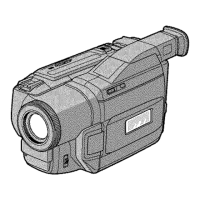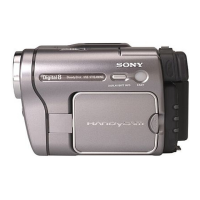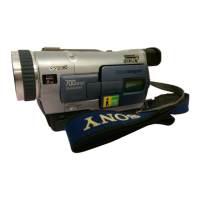

 To Next Page
R
Robert WilsonAug 14, 2025
What to do if the Sony Camcorder playback button does not work?
- RriveradesireeAug 14, 2025
Ensure the POWER switch is set to VCR.

What to do if the Sony Camcorder playback button does not work?
Ensure the POWER switch is set to VCR.
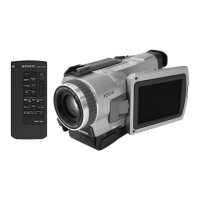
What to do if Sony TRV230 - Digital8 cassette cannot be removed from the holder?
Moisture condensation may have occurred. Remove the cassette and leave your camcorder for at least 1 hour to acclimatize.
What to do if an unknown picture is displayed on the Sony TRV230 - Digital8 Camcorder screen?
If 10 minutes elapse after you set the POWER switch to CAMERA or DEMO MODE is set to ON in the menu settings without a cassette inserted, your camcorder automatically starts the demonstration. Insert a cassette and the demonstration stops. You can also cancel DEMO MODE.
Why is there no sound when playing back a tape on my Sony TRV230 - Digital8 Camcorder?
The volume might be turned to minimum. Press VOLUME +.
Why is the image on my Sony TRV230 - Digital8 Camcorder viewfinder screen not clear?
The viewfinder lens may not be adjusted. Adjust the viewfinder lens.
Why is the autofocusing function not working on my Sony TRV230 - Digital8?
FOCUS may be set to MANUAL. Set it to AUTO.
Why does my Sony Camcorder battery pack quickly discharge?
The battery pack might not be fully charged. Charge the battery pack fully again.
Why is the picture recorded in incorrect colors on my Sony TRV230 - Digital8 Camcorder?
NIGHTSHOT may be set to ON. Set it to OFF.
Why can't I record in LP mode on my Sony Camcorder?
The tape might be the standard 8 tape. Use Hi8 /Digital8 tapes.
Section to record model and serial numbers for product reference.
Recording, playback, and computer transfer of images.
Preparing power, setting date/time, and inserting cassette.
Step-by-step instructions for recording video footage.
Playing recorded tapes and viewing on a television.
Still image recording, effects, manual controls, and titles.
Playing back with effects, image enlargement, and search functions.
Copying, editing, and inserting scenes from VCRs or TV.
Changing camcorder settings through the menu system.
Recording, viewing, managing, and transferring images using Memory Stick.
A guide to common problems and their solutions.
Details about Digital8 system, i.LINK, battery, maintenance, and precautions.
Detailed technical specifications for the video camera recorder.
Diagrams and descriptions of the camcorder's parts and controls.
 General
| Recording System | Digital8 |
|---|---|
| Optical Zoom | 20x |
| Digital Zoom | 120x |
| LCD Screen Size | 2.5 inches |
| Battery Life | Approx. 2 hours |
| Image Sensor Size | 1/4 inch |
| Sensor Type | CCD |
| Viewfinder | Color |
| Recording Media | Hi8 tape |
| Audio Recording | 12-bit/16-bit PCM |
| Interface | USB |