EasyManua.ls Logo

Sony UP-890MD - 1-6. Loading Paper

Sony UP-890MD
72 pages
Print Icon
To Next Page IconTo Next Page
To Previous Page IconTo Previous Page
Loading...
1-6.
LOADING
PAPER
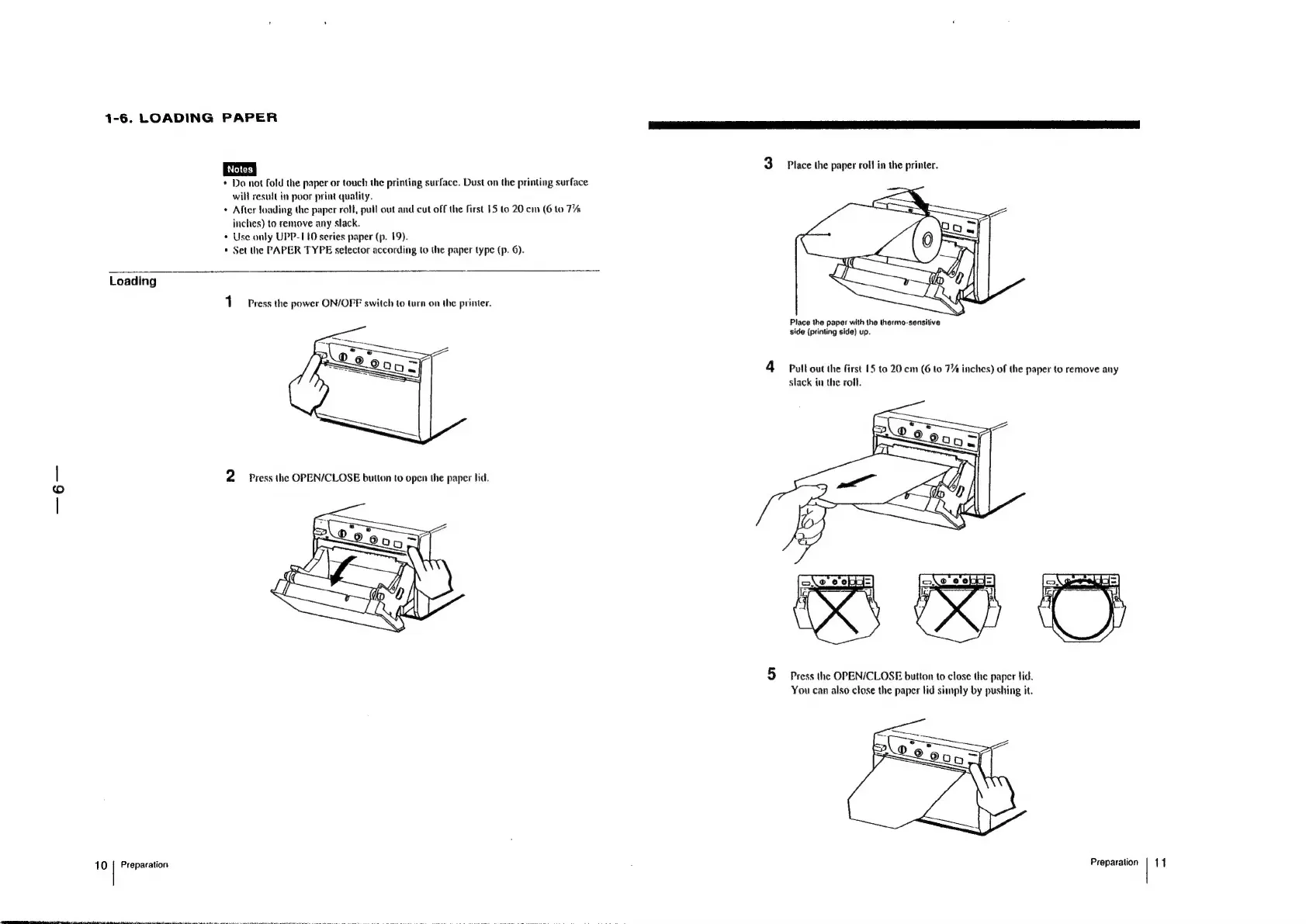
3
Place
the
paper
roll
in
the
printer.
*
Do
not
fold
the
paper
or
touch
the
printing
surface.
Dust
on
the
printing
surface
will
result
in
poor
print
quality.
*
After
loading
the
paper
roll,
pull
out
and
cut
off
the
first
15
to
20
cm
(6
to
TA
inches)
to
remove
any
slack.
¢
Use
only
UPP-110
series
paper
(p.
19).
*
Set
the
PAPER
TYPE
selector
according
to
the
paper
type
(p.
6).
Loading
1
Press
the
power
ON/OFF
switch
to
turn
on
the
printer,
Place
the
paper
with
the
thermo-sensilive
side
(printing
side)
up.
A
Pull
out
the
first
15
to
20.
cm
(6
to
7%
inches)
of
the
paper
to
remove
any
slack
in
the
roll.
|
2
Press
the
OPEN/CLOSE
button
to
open
the
paper
lid.
5
Press
the
OPEN/CLOSE
button
to
close
the
paper
lid.
You
can
also
close
the
paper
lid
simply
by
pushing
it.
10
|
Preparation
Preparation
|
11

Other manuals for Sony UP-890MD

Related product manuals