91
nN
Using Peripheral Devices >
Connecting an i.LINK Device
Connecting a Digital Video Camcorder
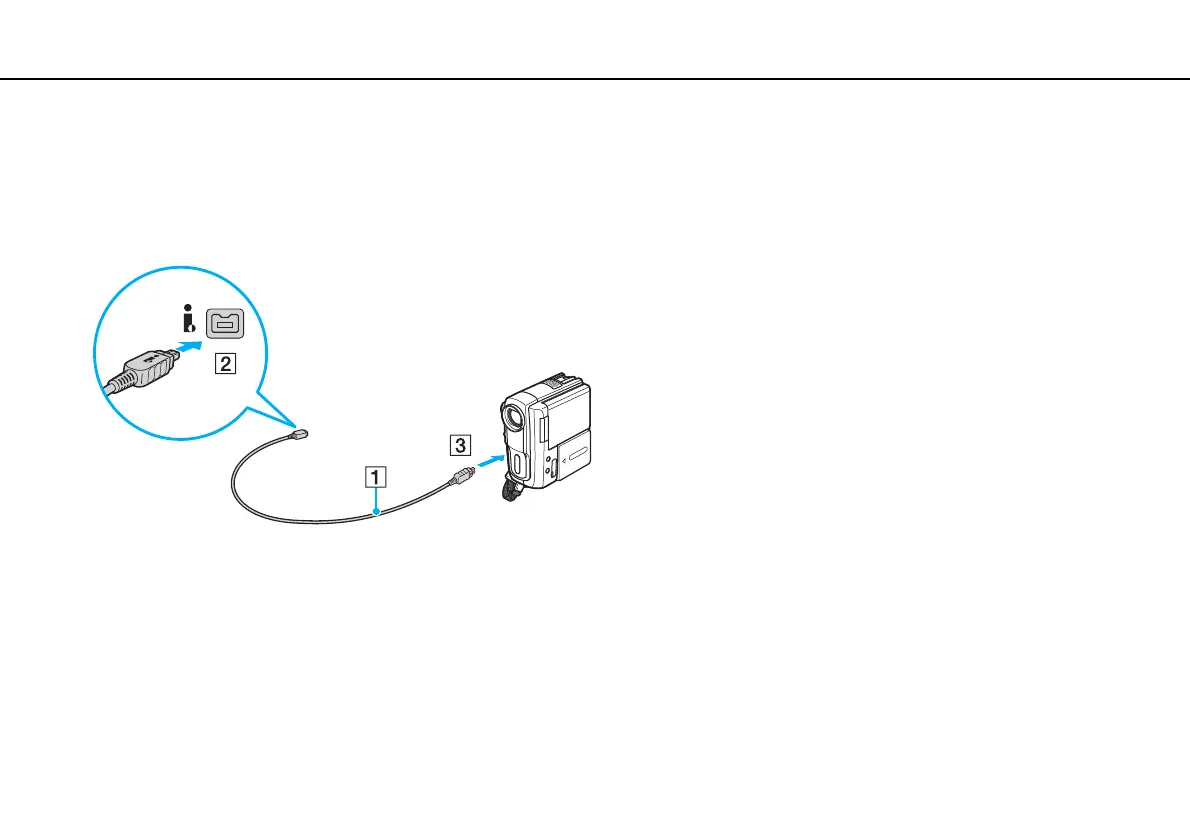
To connect a digital video camcorder
Plug one end of an i.LINK cable (1) (not supplied) into the i.LINK port (2) on the computer and the other end into the DV In/
Out port (3) on the digital video camcorder.
✍
The connection procedure varies depending on your compatible i.LINK device. See the manual that came with the device for more information.
You cannot access the contents of "Memory Stick" in the digital video camcorder via an i.LINK connection.



 To Next Page