
 Need help?
Do you have a question about the Sony VPL-CH375 and is the answer not in the manual?
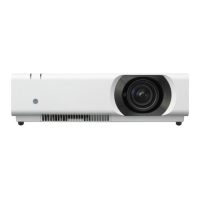
Identifies projector's physical controls, ports, and indicators.
Guides on connecting various external devices to the projector.
Step-by-step guide to turn on the projector and display an image.
Covers focus, zoom, and lens shift adjustments for optimal image.
Adjusting picture quality parameters like brightness, contrast, and color.
Solutions for common problems like no image, no sound, or distorted display.
Procedures for replacing the projector lamp and cleaning the air filter.
 General
| Native aspect ratio | 16:10 |
|---|---|
| Vertical scan range | 48 - 92 Hz |
| Horizontal scan range | 19 - 92 kHz |
| Projection technology | 3LCD |
| Contrast ratio (typical) | 2500:1 |
| Screen size compatibility | 40 - 300 \ |
| Projector native resolution | WUXGA (1920x1200) |
| Projector brightness (economic mode) | 3100 ANSI lumens |
| Focus | Manual |
| Throw ratio | 1.5:1 - 2.2:1 |
| Zoom capability | Yes |
| Vertical lens shift range | -5 - 5 % |
| Horizontal lens shift range | -4 - 4 % |
| Lamp type | UHP |
| Lamp power | 280 W |
| Light source type | Lamp |
| Service life of light source | 3000 h |
| Service life of light source (economic mode) | 2500 h |
| 3D | - |
| Supported video modes | 480i, 480p, 576i, 576p, 720p, 1080i, 1080p |
| Analog signal format system | NTSC 3.58, NTSC 4.43, PAL, PAL M, PAL N, SECAM |
| DVI port | No |
| Serial interface type | RS-232 |
| USB 2.0 ports quantity | USB 2.0 ports have a data transmission speed of 480 Mbps, and are backwards compatible with USB 1.1 ports. You can connect all kinds of peripheral devices to them. |
| Component video (YPbPr/YCbCr) in | 0 |
| Noise level (economic mode) | 29 dB |
| On Screen Display (OSD) languages | ARA, CHI (SIMPL), CHI (TR), DEU, DUT, ENG, ESP, FIN, FRE, GRE, HUN, IND, ITA, JPN, KOR, NOR, POL, POR, RUS, SWE, THA, TUR, VIE |
| RMS rated power | 12 W |
| Placement | Desktop |
| Product type | Standard throw projector |
| Product color | White |
| Market positioning | Home cinema |
| Power source | AC |
| AC input voltage | 100 - 240 V |
| AC input frequency | 50 - 60 Hz |
| Power consumption (max) | 388 W |
| Power consumption (standby) | 0.5 W |
| Power consumption (typical) | 299 W |
| Power consumption (PowerSave) | 266 W |
| Power consumption (network standby) | 6.3 W |
| Storage temperature (T-T) | -20 - 60 °C |
| Operating temperature (T-T) | 0 - 40 °C |
| Operating relative humidity (H-H) | 20 - 80 % |
 Weight and Dimensions
| Depth | 330.5 mm |
|---|---|
| Width | 406 mm |
| Height | 113 mm |
| Weight | 5700 g |

 To Next Page









