8
Connecting the Projector
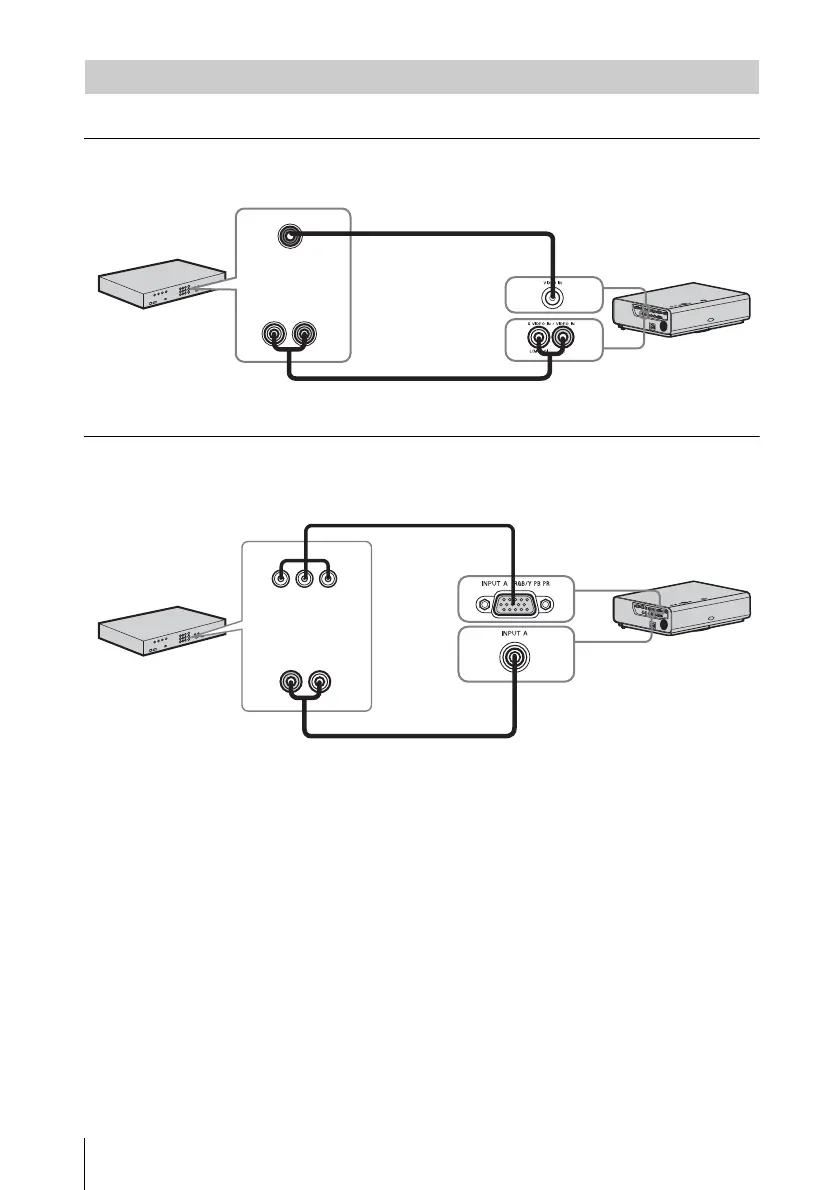
Connections with a DVD player, BD player, etc. are explained for each input signal.
VIDEO IN
For connecting video equipment with a video output connector.
INPUT A
For connecting video equipment with a YPBPR output connector.
Connecting a Video equipment
Video cable (not supplied)
Audio cable (Phono plug × 2) (not supplied)
Video output
connector
Audio output
connector
Video equipment
Component – Mini D-sub 15-pin cable (not supplied)
Audio cable (Phono plug × 2 – stereo mini plug) (not supplied)
Video equipment
YP
BPR output
connector
Audio output
connector


 To Next Page