EasyManua.ls Logo

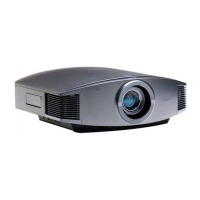
Sony VPL-GH10 - User Manual

Sony VPL-GH10
155 pages
Print Icon
To Next Page IconTo Next Page
Loading...
VPL-GH10
© 2009 Sony Corporation
4-139-070-03 (1)
Data Projector
Operating Instructions
Mode d’emploi
GB
FR
S
ony Corporation
Printed in Japan
Printed on recycled paper.

Table of Contents

Other manuals for Sony VPL-GH10

Questions and Answers

  • L
    Lisa KingSep 23, 2025
    What does it mean if the ON/STANDBY light flashes red 6 times on my Sony Projector?
    • P
      paulwallaceSep 23, 2025
      If the ON/STANDBY indicator on your Sony Projector flashes red with a repetition rate of 6 flashes, press the ?/1 (ON/STANDBY) switch to turn on the projector. If that doesn't work, disconnect the AC power cord, then confirm the ON/STANDBY lamp is turned off. Reconnect the AC power cord and turn on the power again.
  • R
    Raymond Howard DDSAug 23, 2025
    Why is the ON/STANDBY light flashing red on my Sony VPL-GH10 Projector?
    • L
      ljohnstonAug 23, 2025
      If the ON/STANDBY indicator on your Sony Projector flashes red with a repetition rate of 2 flashes, it means the internal temperature is unusually high. Check to ensure that nothing is blocking the ventilation holes or whether the projector is being used at high altitudes.
  • H
    harveybradleyAug 25, 2025
    How to troubleshoot no picture on Sony Projector?
    • C
      Carlos DavisAug 25, 2025
      If there is no picture on your Sony Projector, check that the proper connections have been made. Also, set the computer signal to output from an external monitor or to output only to an external monitor.
  • F
    fnguyenAug 27, 2025
    What to do if my Sony VPL-GH10 says 'Please clean the filter'?
    • S
      sharon87Aug 27, 2025
      If your Sony projector displays the message 'Please clean the filter', you should clean the air filter.
  • M
    Mark Wilson Jr.Aug 27, 2025
    What does it mean when LAMP/COVER flashes red on my Sony VPL-GH10 Projector?
    • A
      Anthony StewartAug 27, 2025
      If the LAMP/COVER indicator on your Sony Projector is flashing red with a repetition rate of 3 flashes, it could mean that the lamp has reached the end of its useful lifespan and needs replacing. Alternatively, the lamp might have reached a high temperature; in this case, wait for it to cool down before turning the power on again.
  • D
    Douglas KirbySep 18, 2025
    What does 'Feature not available on this model' mean on Sony VPL-GH10?
    • M
      Mr. Philip DennisSep 18, 2025
      If your Sony Projector displays 'Feature not available on this model', it means the INPUT button on the remote control has been pressed, but this button does not function on this model.
  • R
    Russell RossSep 15, 2025
    What does 'x' mean on my Sony VPL-GH10 Projector screen?
    • M
      michaelthompsonSep 15, 2025
      If your Sony Projector displays 'x', check the connections.
  • W
    William PhelpsSep 16, 2025
    What does 'Not applicable!' mean on my Sony Projector?
    • A
      Anita PenaSep 16, 2025
      If your Sony Projector displays 'Not applicable!', press the appropriate button. Note that the operation to be activated by the button is currently prohibited.
  • C
    cunninghamcarlaSep 6, 2025
    How to fix image retention on Sony VPL-GH10 Projector?
    • R
      Ryan CervantesSep 6, 2025
      If you're seeing an image left on the screen of your Sony Projector (image retention), turning off the power for a while will eliminate the retained image.
  • A
    Amber DixonSep 4, 2025
    How to fix a blurry picture on my Sony VPL-GH10 Projector?
    • N
      nicholaschandlerSep 4, 2025
      If the picture on your Sony Projector is not clear, try adjusting the focus. If condensation has accumulated on the lens, leave the projector on for about 2 hours to clear it.

Summary

Precautions

Safety Guidelines

Essential safety measures to follow during operation.

Heat and Ventilation

Precautions regarding internal heat and proper ventilation.

Installing the Projector

Ventilation and Spacing

Specifies necessary space around the projector for ventilation.

Connecting the Projector

Adjusting Picture Position

Adjusting Picture Position

Guide to adjusting the projected image's horizontal and vertical position.

Picture Adjustment Procedures

Adjusting Picture Size and Focus

How to adjust the size and focus of the projected image.

Fine-tuning Picture Display

Focus and Tilt Adjustment

Steps to adjust focus and level the projector.

Selecting Menu Language

Projecting the Image

Turning Off the Projector

Powering Down Procedure

Step-by-step guide to safely turn off the projector.

Adjusting Picture Quality

Real Color Processing (RCP)

Adjusting Color and Hue

Fine-tuning specific color tones and hues.

Picture Menu Settings

Operating Projector via Computer

Troubleshooting Common Issues

Power, Picture, and Display Problems

Solutions for power, picture clarity, and on-screen display issues.

Warning Indicators Explained

Interpreting Indicator Lights

Explains the meaning of ON/STANDBY and LAMP/COVER indicator lights.

Message Lists

Replacing Lamp and Air Filter

Lamp and Filter Replacement Procedure

Step-by-step guide to replace the lamp and air filter.

Sony VPL-GH10 Specifications

General IconGeneral
BrandSony
ModelVPL-GH10
CategoryProjector
LanguageEnglish

Related product manuals