3 of 5
P
ROJECTOR
P
ROGRAMMING
IMPORTANT: This step is only necessary if you are integrating the projector with the Ethernet connection.
If you are using the RS-232 connection this step is not needed.
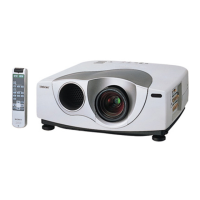
Set the IP address of the projector using the IR remote included with the projector, and the projector’s on
screen setup menus:
1. Press the Menu button on the remote to bring up the on-screen menu.
2. Press down to scroll to Installation, then press right to select.
3. Press down to scroll to Network Settings, then press right to select.
4. Press right again to select IP Address Setup: this display shows Auto(DHCP) and Manual. Scroll
down to Manual, then press Enter
5. Press down to scroll to IP Address, then press right to highlight the first part of the address. This is
normally 192.
6. Press up or down to change to the desired value, then press right to go to the next number. This is
normally 168.
7. Repeat for remaining the remaining numbers: the default address is 192.168.0.70.
8. Press Enter to accept the changes.
9. Confirm that the subnet is set to 255.255.255.0.
10. It is OK to ignore the Default Gateway and DNS settings.
11. Press down to scroll to Apply, then press Enter to save your settings.
12. Press the Menu button to exit the on-screen menu.


 To Next Page