16
Selecting the Picture
Viewing Mode
You can select the picture viewing mode that best suits the
type of video source or room conditions.
You can save and use different preset modes for 2D/3D
respectively.
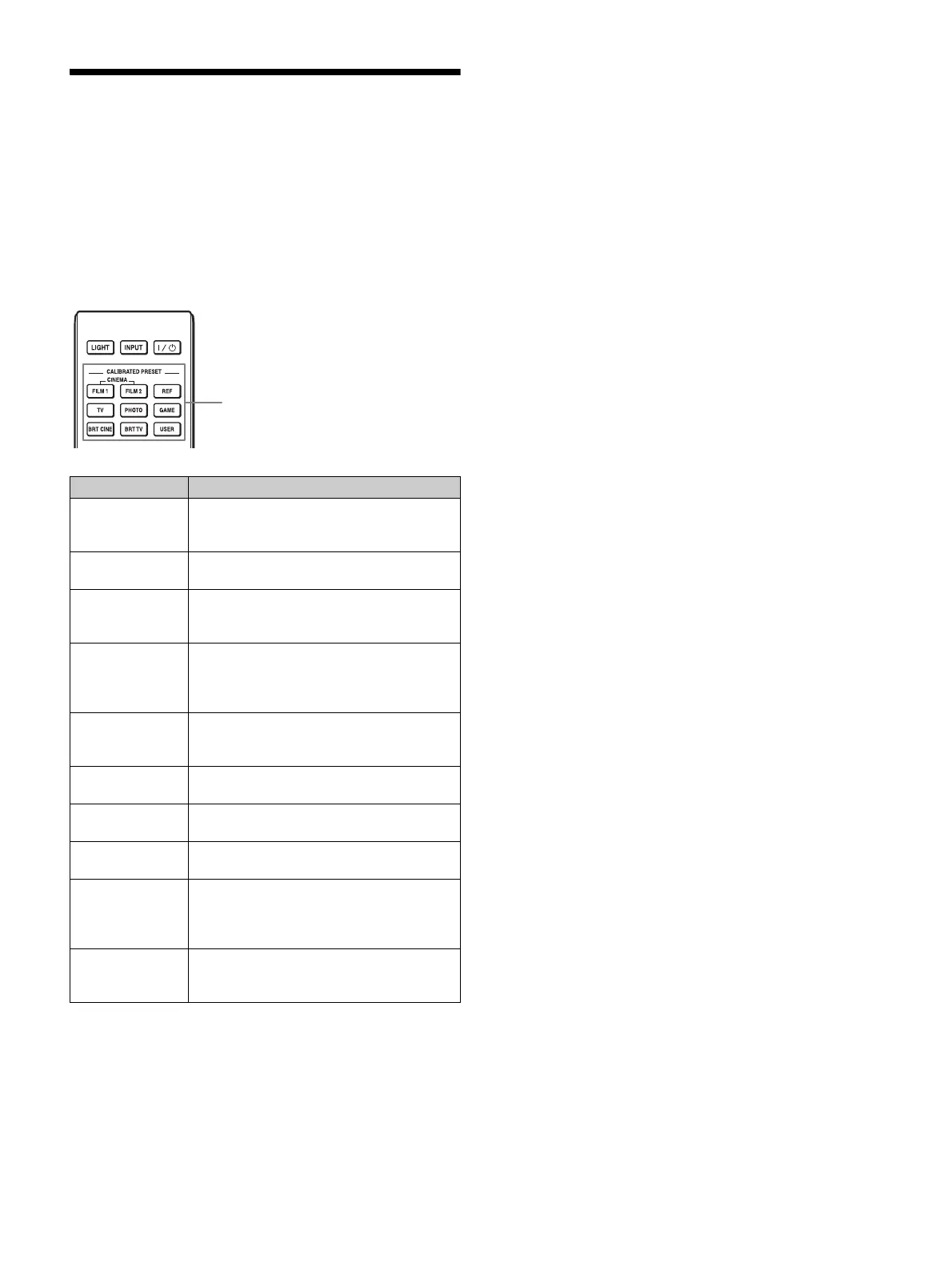
Press one of the CALIBRATED PRESET buttons.
*1: The CINEMA DIGITAL mode is not available on the remote
control.
*2: The USER1 mode is selected by pressing the USER button. The
USER2 mode and USER3 mode are not available on the remote
control.
Setting items Description
CINEMA FILM 1 Picture quality suited to reproducing the
highly dynamic and clear images typical of
master positive film.
CINEMA FILM 2 Picture quality suited for HDR content, with
the highest dynamic range and many colors.
CINEMA
DIGITAL *
1
Picture quality suited to reproducing digital
cinema-like images resembling DCI
specifications (page 40).
REF A picture quality setup suitable for when you
want to reproduce faithfully the original
image quality, or for enjoying image quality,
without any adjustment.
TV Picture quality suited for watching TV
programs, sports, concerts, and other video
images.
PHOTO Ideal for projecting still images taken with a
digital camera.
GAME Picture quality suited to gaming, with well-
modulated colors and fast response.
BRT CINE Picture quality suited for watching movies in
a bright environment, such as a living room.
BRT TV Picture quality suited for watching TV
programs, sports, concerts, and other video
images in a bright environment, such as a
living room.
USER1, USER2,
USER3 *
2
Adjusts the picture quality to suit your taste
then saves the setting. The factory default
setting is the same as “REF.”
CALIBRATED PRESET buttons


 To Next Page