38
About Indicators
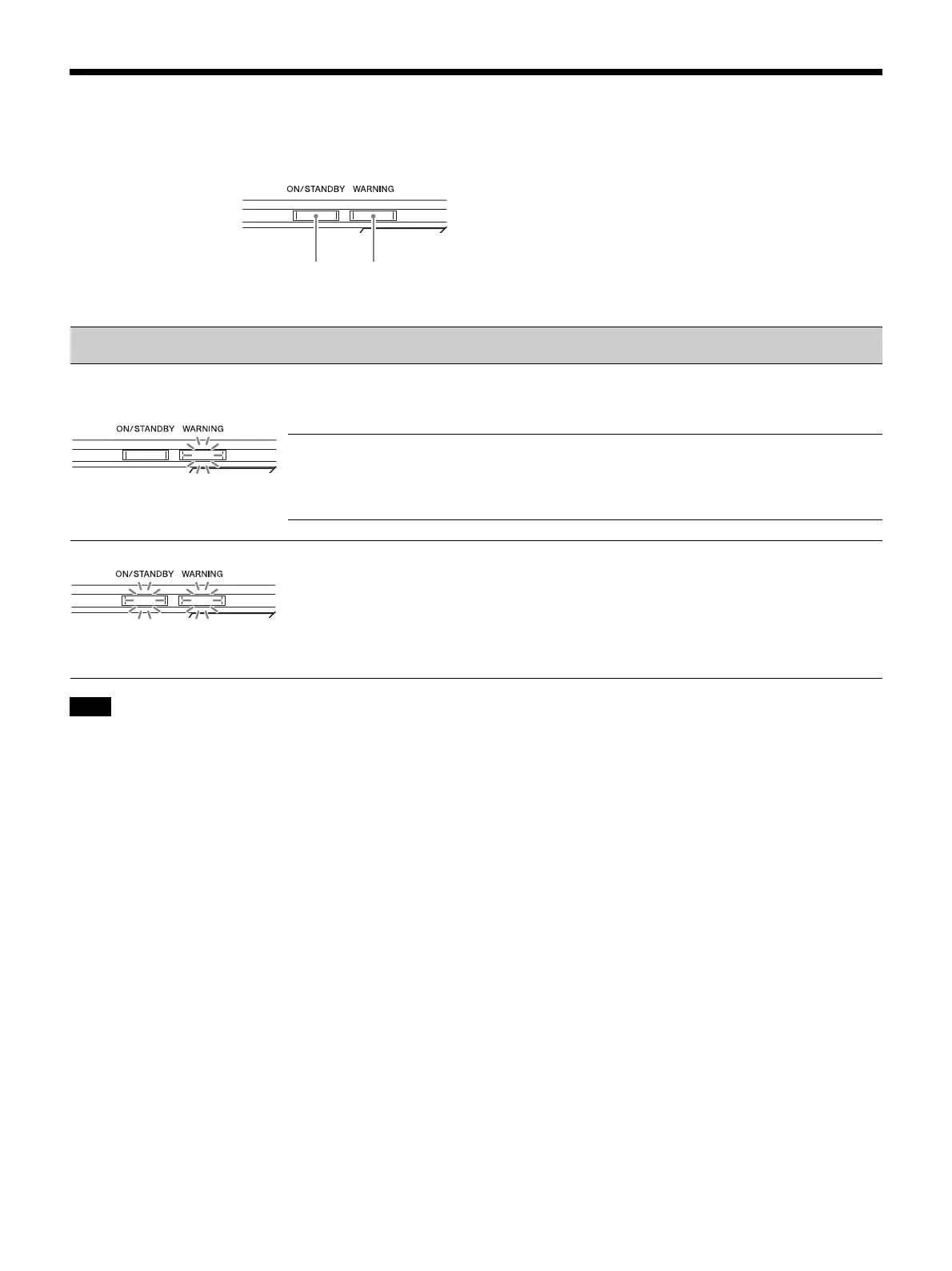
The ON/STANDBY or WARNING indicator lights up or flashes if there is any trouble with your projector.
If the indicator starts flashing in a way of other than the above, and the symptom persists even after carrying out the above methods, consult
with qualified Sony personnel.
Flashing/Lighting indicators The number of
flashes
Cause and Remedy
Three times The temperature of the light source is unusually high. Turn off the power and wait
for the light source to cool, then turn on the power again.
If the symptom persists, the light source may be at the end of its service life. In this
case, consult with qualified Sony personnel.
Six times The unit detects a drop impact.
If there is abnormality on the unit, consult with qualified Sony personnel.
If there are no abnormalities on the unit, disconnect the AC power cord and check
that the ON/STANDBY indicator turns off, then connect the AC power cord and
turn the unit on.
Eight times The lens is not securely attached.
Twice The internal temperature is unusually high. Check to ensure that nothing is blocking
the ventilation holes and the unit is not being used at high altitudes.
Note
ON/STANDBY
indicator
WARNING
indicator
(Flashes in red)
(Flashes in red) (Flashes in red)
Both indicators flash


 To Next Page