33
Information Menu
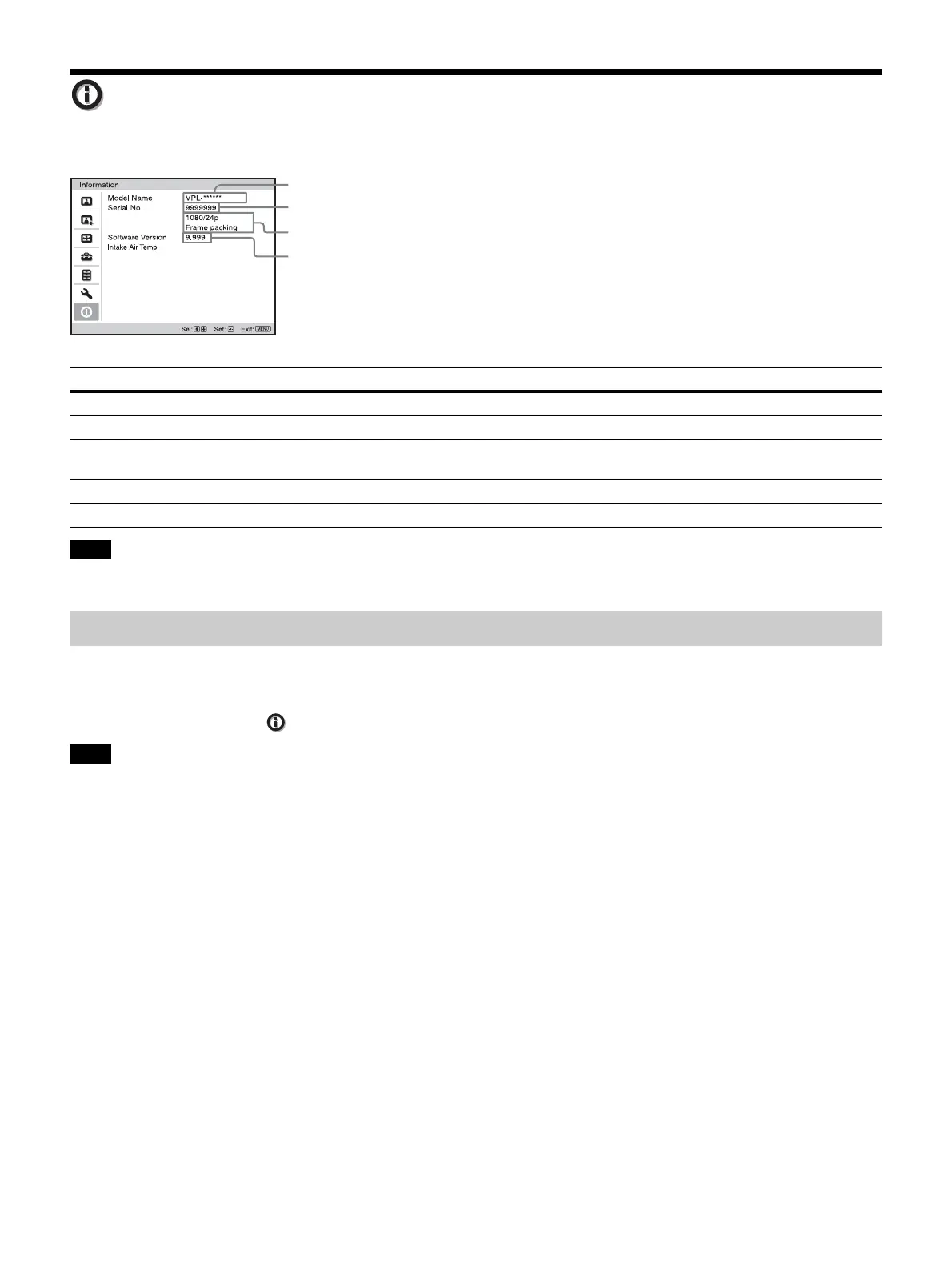
The Information menu displays the model name, serial number, input signal type, and software version.
You cannot adjust or change the displays listed above.
This unit has default image data to adjust preset data for input signals appropriately according to the signals shown in
“Preset Signals” (page 42) (the preset memory). When the preset signal is input, the unit automatically detects the signal
type and recalls the data for the signal from the preset memory to adjust it to an optimum picture. The signal type is
displayed in the Information menu.
Depending on the computer input signal, parts of projection image may be hidden or displayed incorrectly.
Items Description
Model Name Displays the model name
Serial No. Displays the serial number.
Signal type Displays the preset memory number and resolution of the video which you are watching. When input
signals with 3D information are input, the type of input signals and the 3D format are displayed.
Software Version Displays the software version.
Intake Air Temp. Displays the intake air temperature.
Note
About the Preset Memory
Note
Model name
Serial No.
Software version
Signal type


 To Next Page