22
x.v.Color Set this item when connecting the unit with equipment that supports x.v.Color and playing back an
x.v.Color video signal.
On: You can play back an x.v.Color video signal.
Off: The “x.v.Color” function is not applied.
For details on x.v.Color, see “About x.v.Color” (page 40).
Tip
Setting x.v.Color to “On” disables gamma adjustment.
HDR Sets how to play back HDR content.
Auto: Distinguishes HDR content automatically.
On: Set when playing back HDR content.
Off: Set when playing back content other than HDR content.
If the setting is not correct for the input content, the bright and dark areas of the video may appear too
bright or too dark.
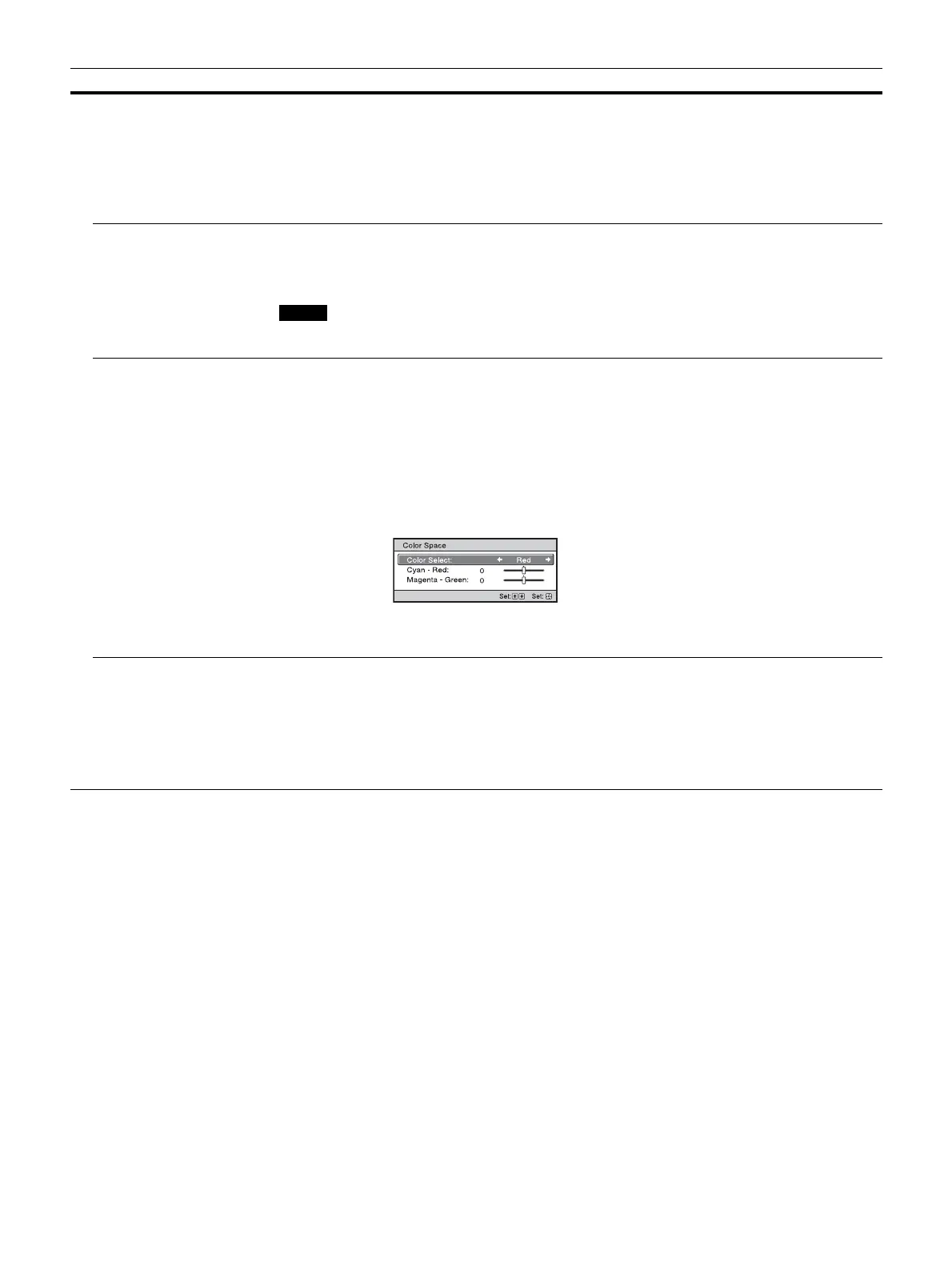
Color Space
[COLOR SPACE]
Converts the color space.
BT.709: An ITU-R BT.709 color space. The color space is equivalent to sRGB.
BT.2020: The color space is wider than BT.709. Use this setting when playing back HDR content.
DCI: A color space based on the DCI specification (page 40).
Adobe RGB: An approximated Adobe RGB color space, which has a wider range of color reproduction
than sRGB, and suited for displaying an image recorded in Adobe RGB specification.
Color Space 1: The color space suited for video images.
Color Space 2: The color space suited for watching video images in a bright space.
Color Space 3: The color space suited for watching movies in a bright space.
Custom 1, Custom 2: You can adjust the color space setting.
Tip
You can adjust each item to a color space according to your preference.
Input Lag Reduction Reduces the delay of the display for a video.
On: Shortens the time to display the input video image; effective for increasing the performance of the
display reaction speed when using an external controller, etc.
Off: Turns the Input Lag Reduction function off.
Tip
When “Input Lag Reduction” is set to “On,” the following items cannot be set:
“Combination,” “Smooth High,” and “True Cinema” of “Motionflow”
Setting items Description
Note


 To Next Page