23
Basic Operations
Shooting images easily (Auto adjustment mode)
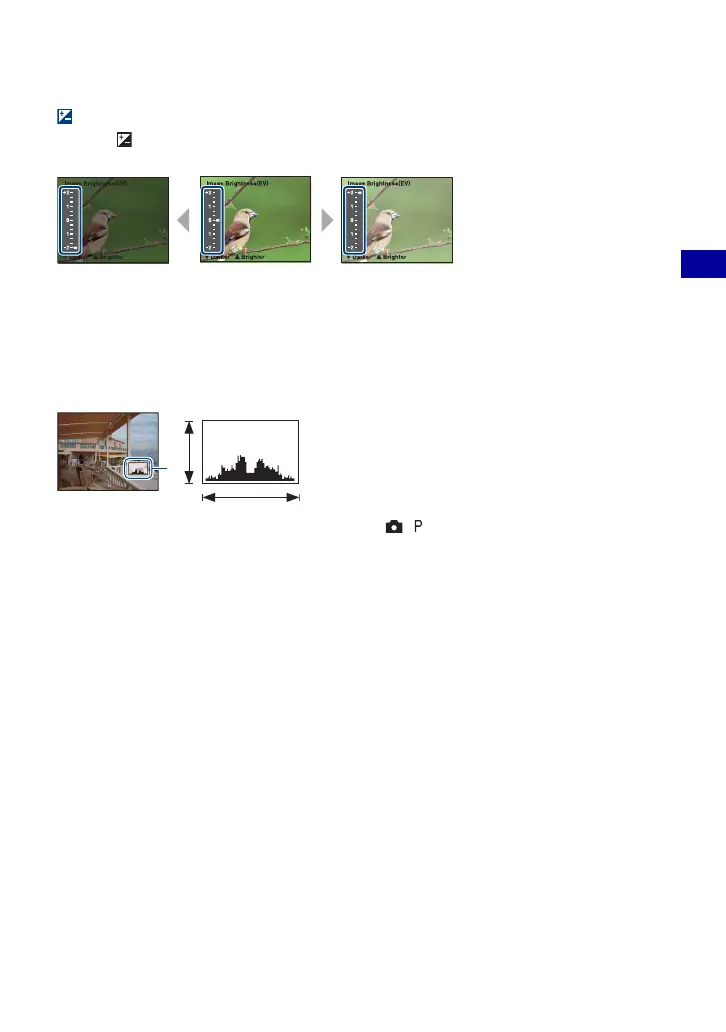
EV (Adjusting the exposure manually)
Press b ( ) on the control button, then press v (Brighter)/V (Darker) to adjust.
To turn off the bar displayed, press the
b button again.
• For details on the exposure, see page 7.
• The compensation value can be set in 1/3EV increments.
• If a subject is being shot in extremely bright or dark conditions, or the flash is used, the exposure
adjustment may not be effective.
z Adjusting EV (Exposure Value) by displaying a histogram
A histogram is a graph showing the brightness of
an image. Press DISP (Screen display switch)
button repeatedly to display the histogram inside
the screen. The graph display indicates a bright
image when skewed to the right side, and a dark
image when skewed to the left side. Set the mode
dial to , or Scene selection and adjust EV
while checking the exposure with the histogram.
A Number of pixels
B Brightness
• The histogram also appears when playing back a single still image; however exposure cannot be adjusted.
Toward +Toward –
BrightDark
A
B









 To Next Page