84
Printing images directly using a PictBridge compliant printer
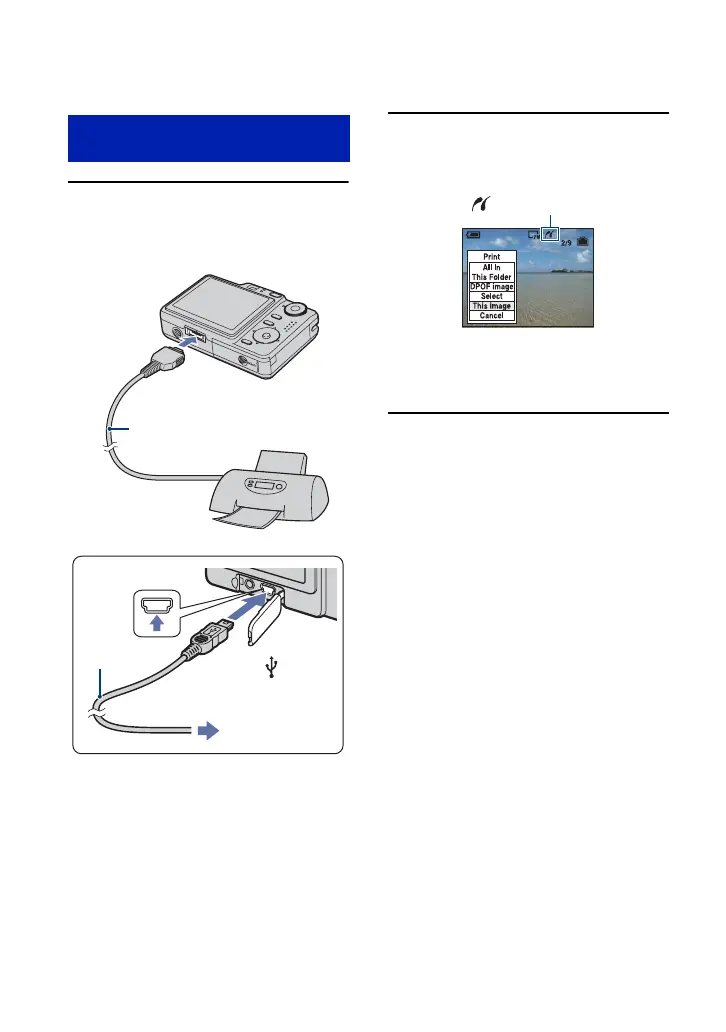
1 Connect the camera to the
printer.
2 Turn on your camera and the
printer.
After the connection is made,
the indicator appears.
The camera is set to playback mode, then an
image and the print menu appear on the
screen.
Stage 2: Connecting the camera
to the printer
1 To the USB
jack
2 To the multi connector
Cable for multi-use
terminal
DSC-W55
DSC-W35
USB cable
1 To the USB
jack
2 To the (USB)
jack









 To Next Page