ModelName: Canary_E
PartNumber: 4-154-408-11
6
6
Basic Operations and Screens
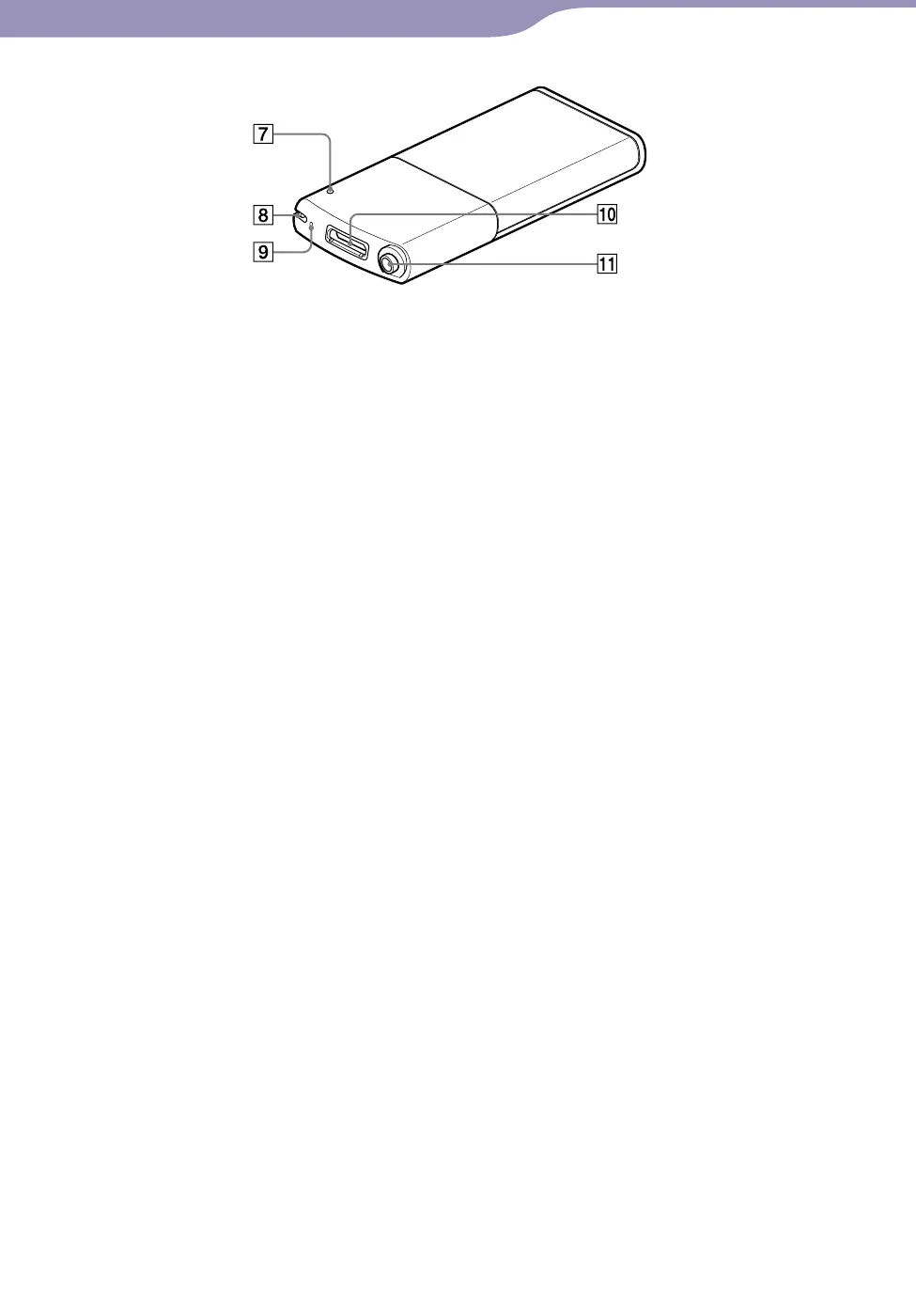
RESET button
Press the RESET button with a small
pin, etc., to reset the player (
p
. 99).
Strap hole
This is used to attach a strap (sold
separately).
Microphone
See
p
. 77.
WM-PORT jack
Connect the supplied USB cable, or
optional peripheral devices.
If your player includes the supplied
speaker SRS-NWGT014E, connect it
to the WM-PORT jack.
Headphone jack
Insert the headphone plug until it
clicks into place. If the headphones
are connected improperly, the sound
from the headphones will be
impaired.
Rear









 To Next Page