Help Guide
Wireless Stereo Headset
WF-C500
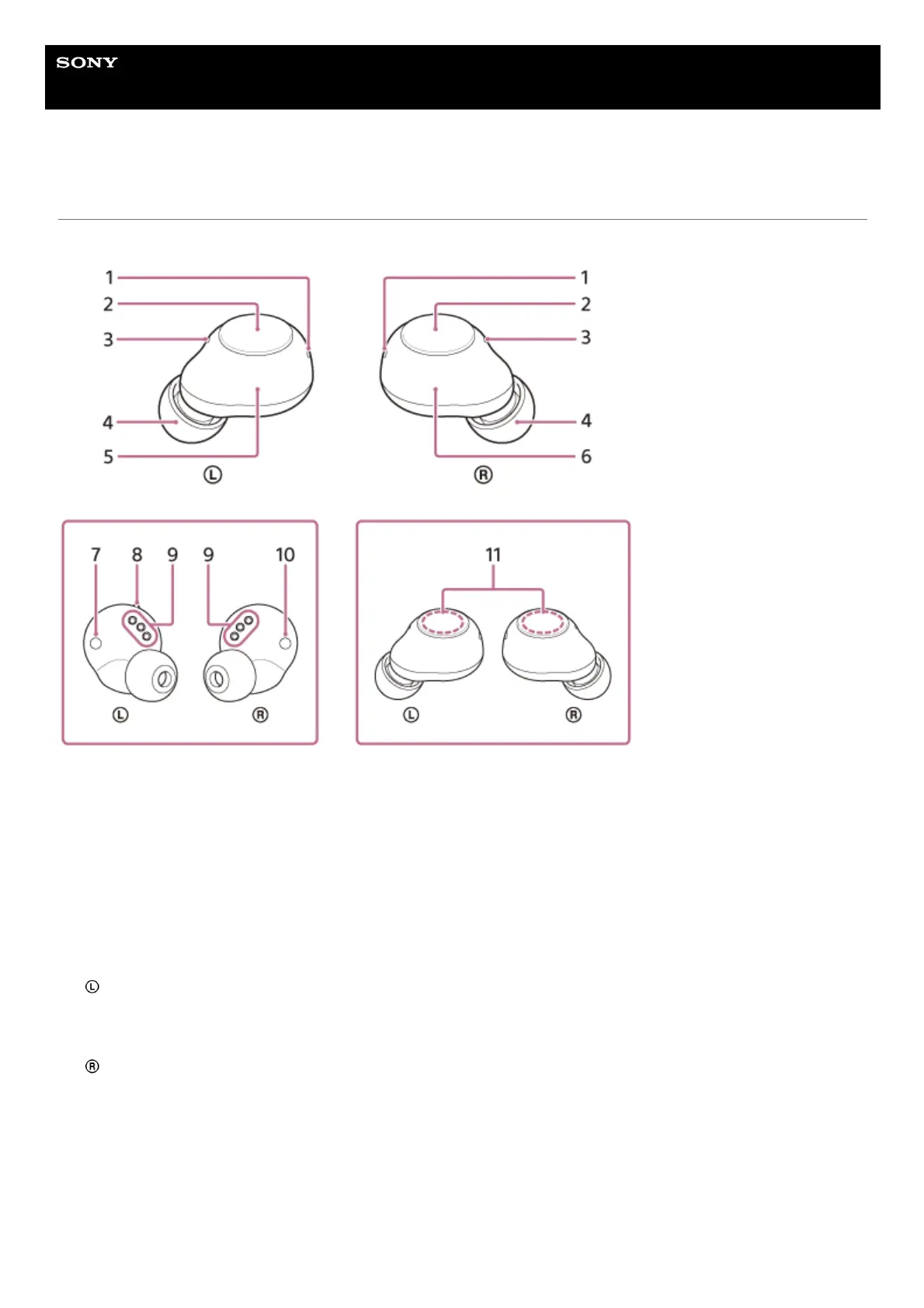
Location and function of parts
Headset
Charging case
Indicators (blue/orange) (left, right)
Lights up in orange while charging.
Lights up in blue or orange to indicate the power or communication status of the headset.
1.
Buttons (left, right)
Press to operate the headset.
2.
Microphones (left, right)
Picks up the sound of your voice when talking on the phone.
3.
Earbud tips (left, right)4.
Left unit of the headset5.
Right unit of the headset6.
(left) mark7.
Tactile dot
There is a tactile dot on the left unit of the headset.
8.
Charging ports (left, right)9.
(right) mark10.
Built-in antennas (left, right)
A Bluetooth antenna is built into each left or right unit of the headset.
11.



 To Next Page