Help Guide
Wireless Stereo Headset
WF-C500
Charging
The headset and the charging case contain built-in lithium-ion rechargeable batteries. Use the supplied USB Type-C
cable to charge the headset before use.
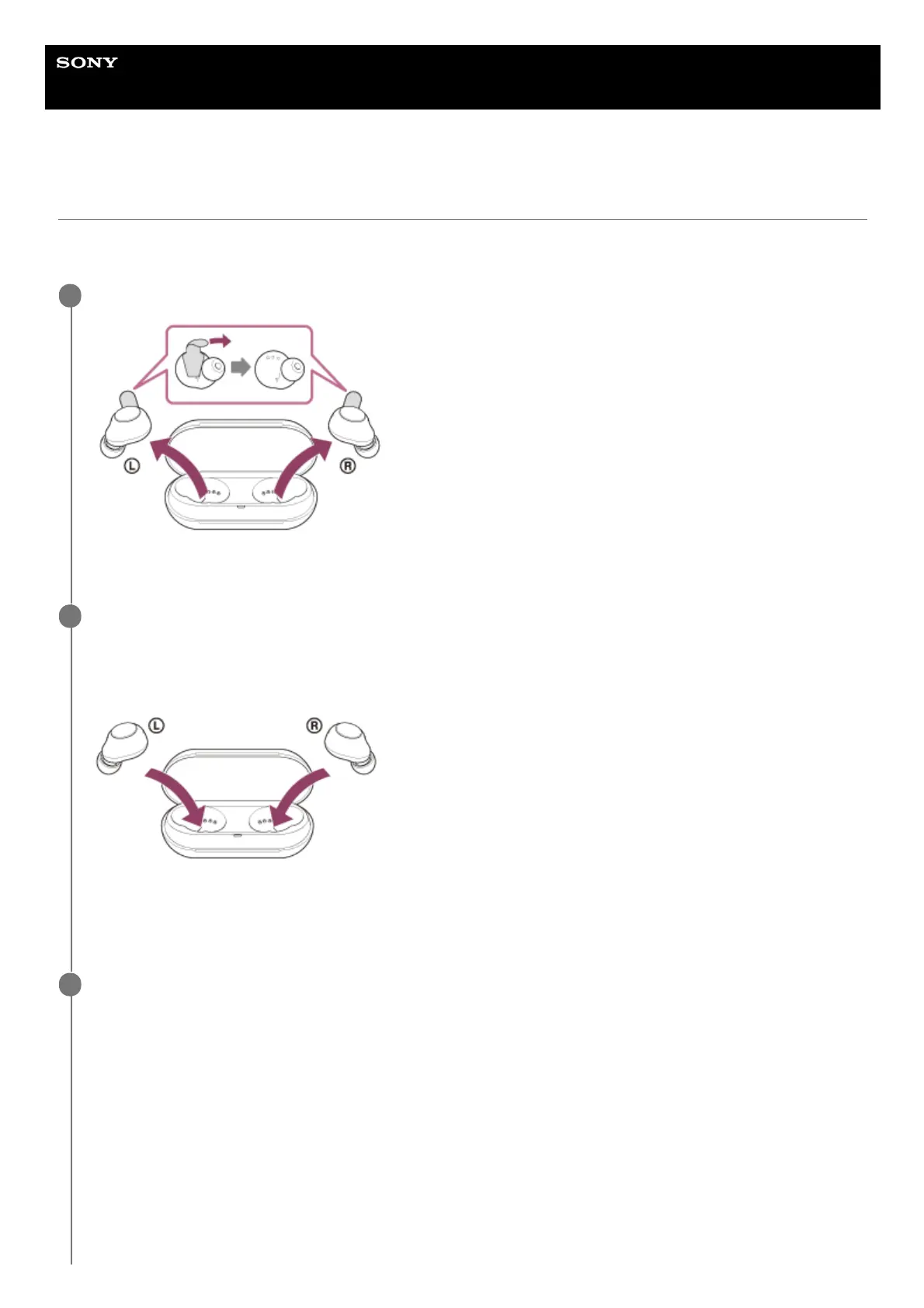
Remove the headset from the charging case and remove the insulating sheet.
Dispose of the removed insulating sheet.
1
Set the headset into the charging case.
Put the left unit of the headset (the unit with the tactile dot) back into the left hole of the charging case, and put the
right unit of the headset back into the right hole of the charging case. Each unit of the headset will be set to the
correct position in the charging case by the built-in magnet.
Set the headset into the charging case, and when the indicators (orange) on the headset light up, close the lid of
the charging case.
The indicators (orange) on the headset turn off after charging of the headset is complete.
2
Connect the charging case to an AC outlet.
Use the supplied USB Type-C cable and a commercially available USB AC adaptor.
3



 To Next Page