About the instruction manual video
Watch the video to find out how to perform the pairing for the first time.
https://rd1.sony.net/help/mdr/mov0028/h_zz/
Hint
The operation above is an example. For more details, refer to the operating instructions supplied with the Android smartphone.
To delete all Bluetooth pairing information, see “Initializing the headset to restore factory settings”.
Note
If pairing is not established within 5 minutes, pairing mode is canceled. In this case, set the headset into the charging case, and
start the operation again from step
.
Once Bluetooth devices are paired, there is no need to pair them again, except in the following cases:
Find the headset on the Android smartphone.
4
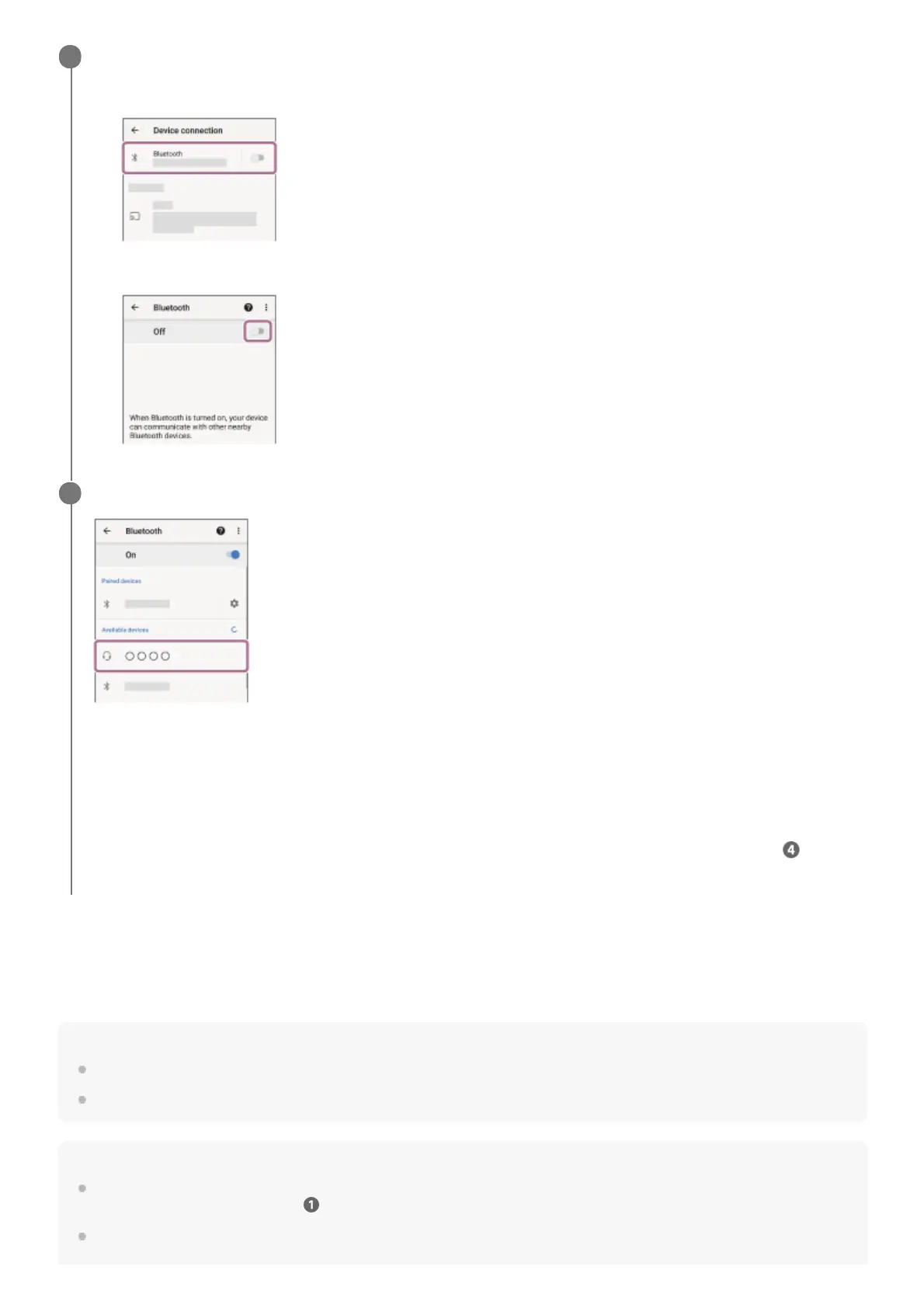
Select [Settings] - [Device connection] - [Bluetooth].
1.
Touch the switch to turn on the Bluetooth function.
2.
Touch [WF-C500].
If Passkey (*) input is required, input “0000”.
The headset and smartphone are paired and connected with each other.
The indicators (blue) on both units of the headset flash quickly for about 5 seconds.
You will hear the voice guidance say “Bluetooth connected” from the unit of the headset that was removed first from
the charging case.
If they are not connected, see “Connecting to a paired Android smartphone”.
If [WF-C500] does not appear on the Android smartphone screen, try again from the beginning of step
.
5
A Passkey may be called “Passcode”, “PIN code”, “PIN number”, or “Password”.
*



 To Next Page