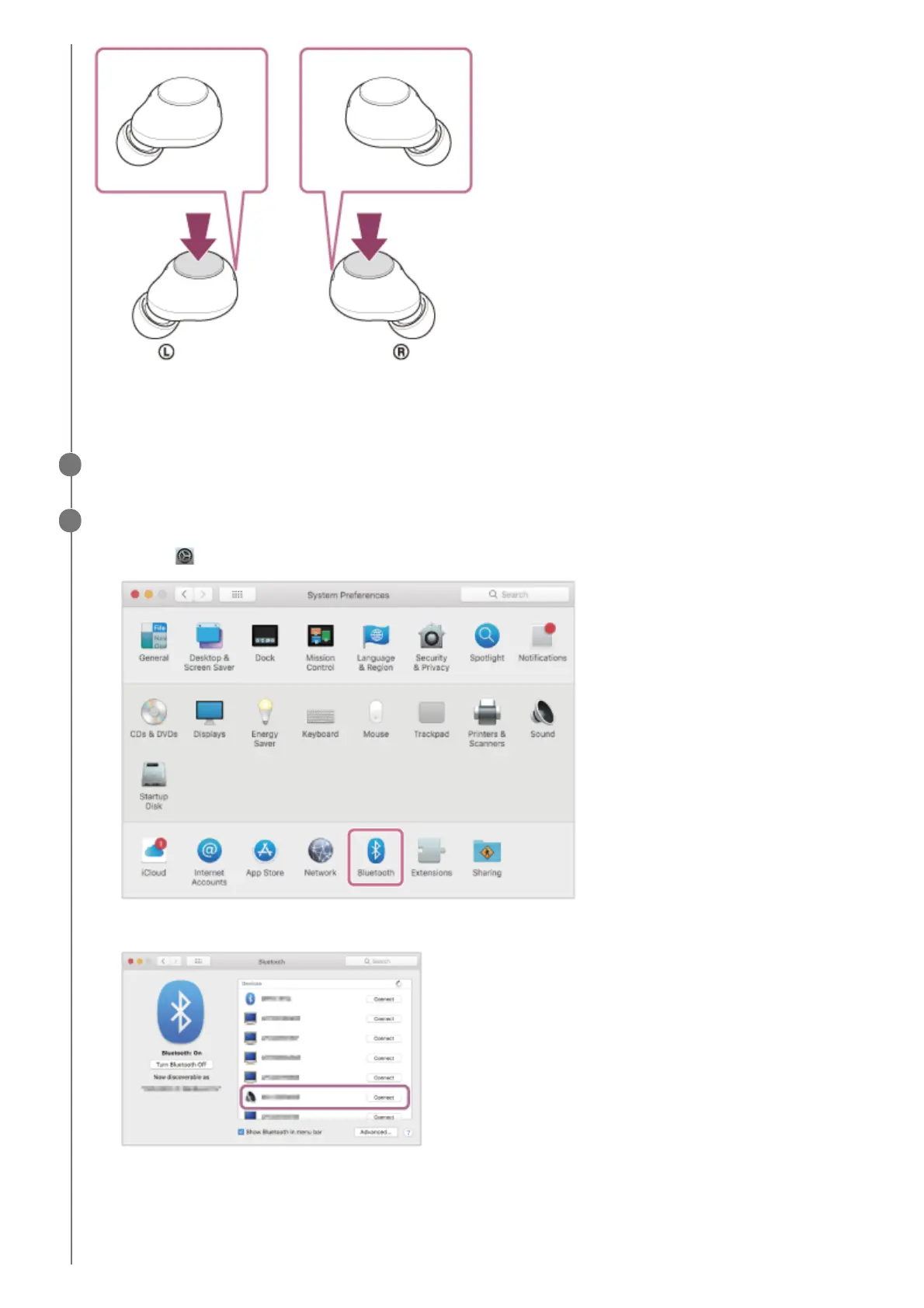
Check that the indicator (blue) on both units of the headset repeatedly flashes twice in a row.
You will hear the voice guidance say “Bluetooth pairing” from both headset units at the same time.
Wake the computer up if the computer is in standby (sleep) or hibernation mode.
3
Pair the headset using the computer.
If Passkey (*) input is required, input “0000”.
The headset and computer are paired and connected with each other.
The indicators (blue) on both units of the headset flash quickly for about 5 seconds.
You will hear the voice guidance say “Bluetooth connected” from the unit of the headset that was removed first from
the charging case.
4
Select [
(System Preferences)] - [Bluetooth] from the Dock at the bottom of the screen.
1.
Select [WF-C500] of the [Bluetooth] screen and click [Connect].
2.



 To Next Page