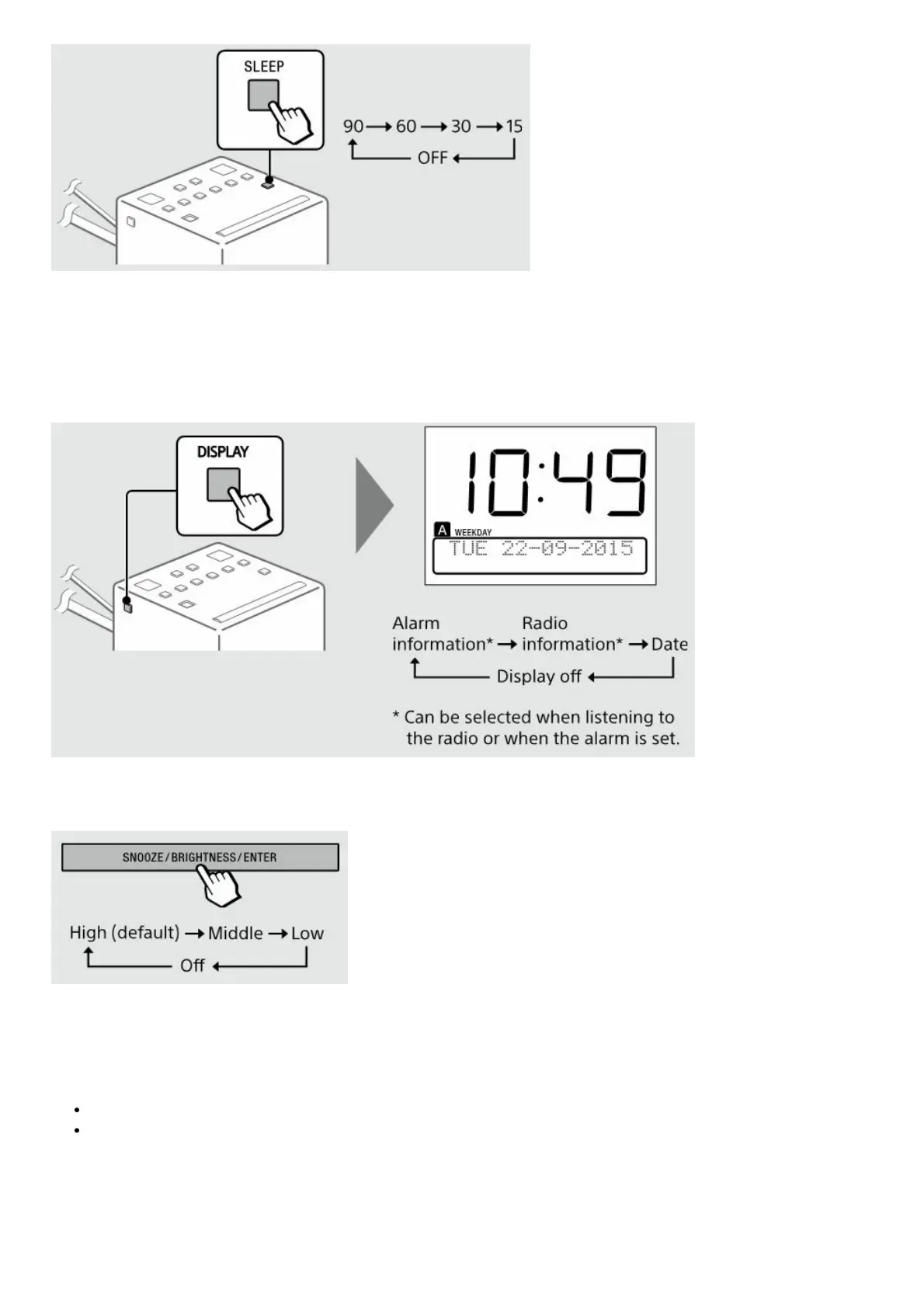
Note
When the alarm is set to sound during the sleep timer duration, the sleep timer will be deactivated automatically when
the alarm sounds.
Switching the information display
Setting the brightness of the display
Tip
You can also set the brightness of the display to off by pressing and holding SNOOZE/BRIGHTNESS/ENTER.
Notes
When the alarm is sounding or the snooze function is active, the brightness of the display cannot be changed.
Even if the brightness is set to off, the display lights at a low brightness level when the alarm sounds.
Charging a smartphone











 To Next Page