Auto Tune (DAB)
To update the DAB station list, perform the DAB auto tune again. Select “Yes” to start DAB auto tune.
To deactivate DAB auto tune, select “No.”
Note
The currently stored station list will be cleared once the DAB auto tune process has started.
Information (DAB)
You can display various information of the DAB station you are listening to.
Channel: Channel and frequency (see the DAB frequency table in “Specifications.”)
Multiplex Name: Ensemble label (up to 16 characters long)
Service Name: Station name
Programme Type: PTY label (See “PTY (programme type)” in “Specifications.”)
Bit Rate: Bit rate
Signal Level : Displays the signal level of the DAB station you are listening to, ranging from 0 (no signal) to 100
(maximum signal).
Info. PTY (FM)
Displays the PTY label (see “PTY (programme type)” in “Specifications”) for the station you are listening to.
Note
If there is no multiplex name or no service name, the space for the label or name will be blank.
DAB Manual Tune (DAB)
If DAB reception by DAB auto tune is poor, try manual tuning.
Press SELECT ← or → to select the desired DAB channel, then press ENTER.
Tip
The new station received by manual tuning is stored in the DAB station list.
Initialize (DAB) (FM)
Select “OK” to initialize the radio to the factory default settings. All settings, DAB station list and presets will be
deleted.
Other options
Turn off the radio before setting these options.
Set Date & Time
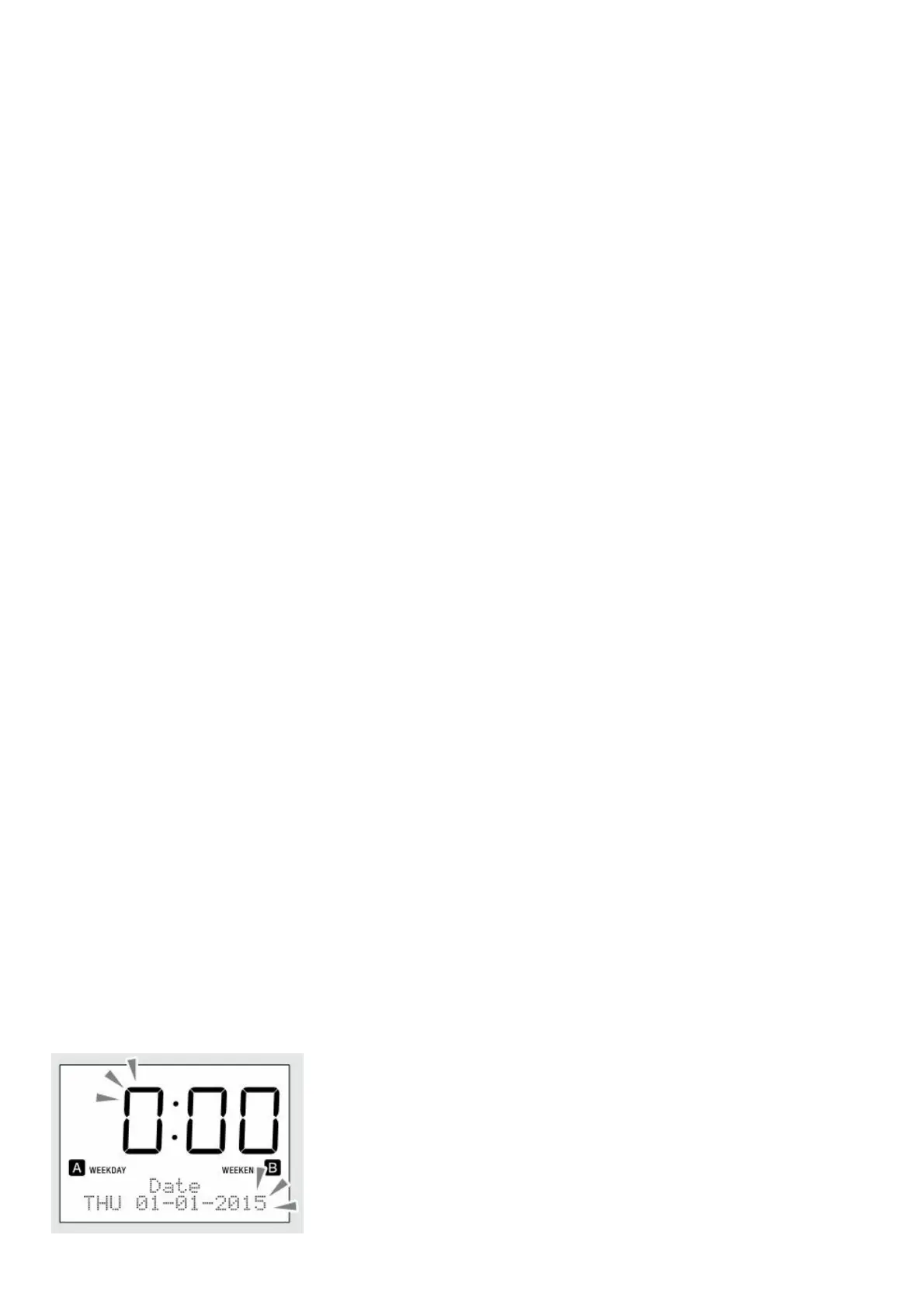
“Auto” is set by default. This enables the clock to synchronize with the DAB data being received. To set the clock
manually, press MENU and select “Set Date & Time”, then select “Manual” and follow the steps below.



 To Next Page