To delete a track
1
Open the Walkman™ player library and browse to the track you want to delete.
2
Touch and hold the track title, then tap Delete.
You can also delete albums this way.
To share a track
1
When browsing your tracks in the WALKMAN player library, touch and hold a
track title.
2
Tap Send.
3
Select an available transfer method, and follow the on-screen instructions.
You can also share albums and playlists this way.
You might not be able to copy, send or transfer copyright-protected items.
To recommend a track on Facebook™
1
While the track is playing in the Walkman™ player, tap the album art.
2
Tap to show that you "Like" the track on Facebook™. If desired, add a
comment in the comments field.
3
Tap Share to send the track to Facebook™. If the track is received
successfully, you will get a confirmation message from Facebook™.
Discovering related audio content
In the Walkman™ player, you can discover audio content that is related to the artist
you are listening to by tapping the infinite button .
You can also search for audio content related to a particular artist while you are
browsing the Walkman™ player. The Walkman™ player searches for and lists the
following types of results:
•
Music videos on YouTube™
•
Artist info on Wikipedia™
•
Lyrics on Google
•
Karaoke videos on YouTube™
•
Extension searches on the web
•
Content from the PlayNow™ service
To search for related content using the infinite button
•
When a track is playing in the Walkman™ player, tap .
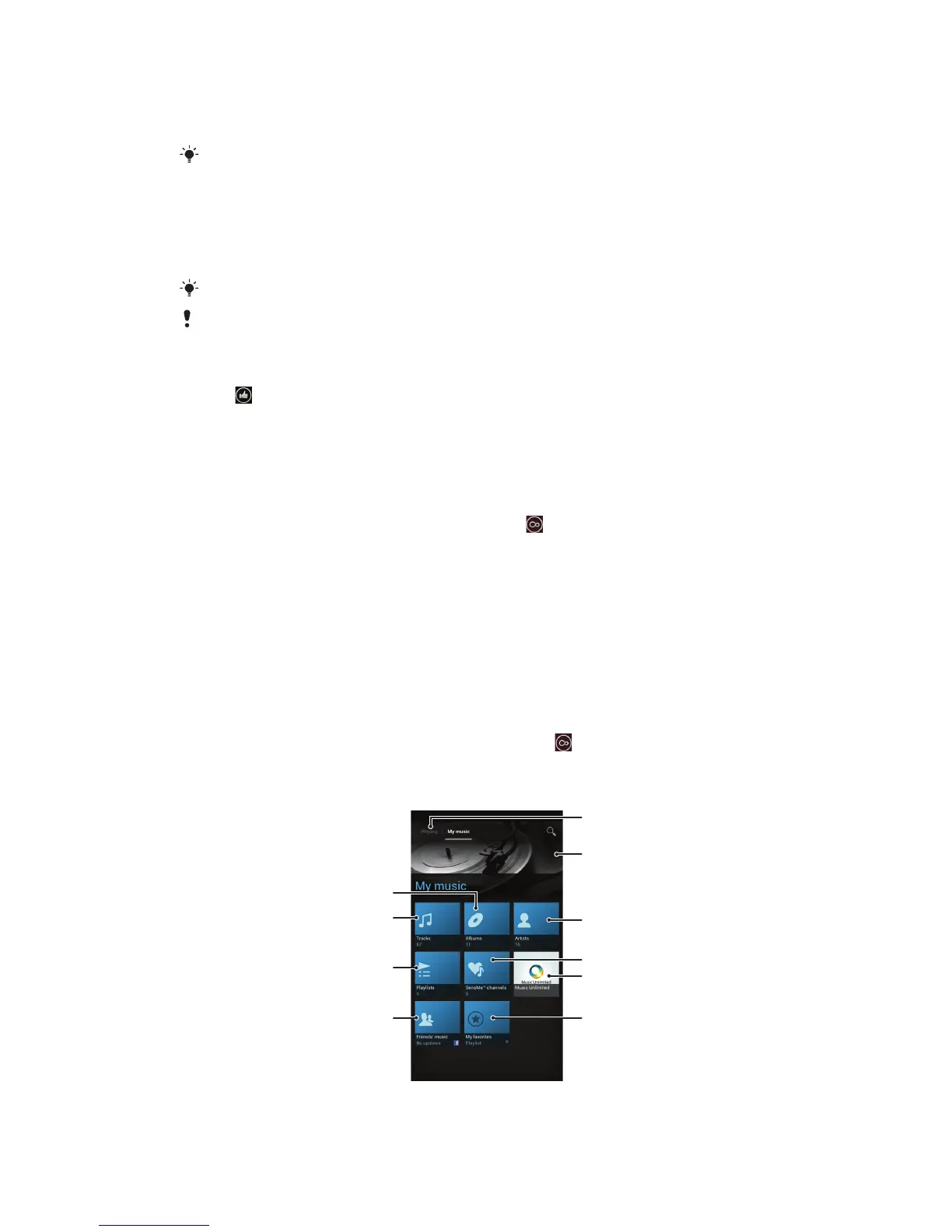
Overview of My music



 To Next Page