Getting started
Assembly
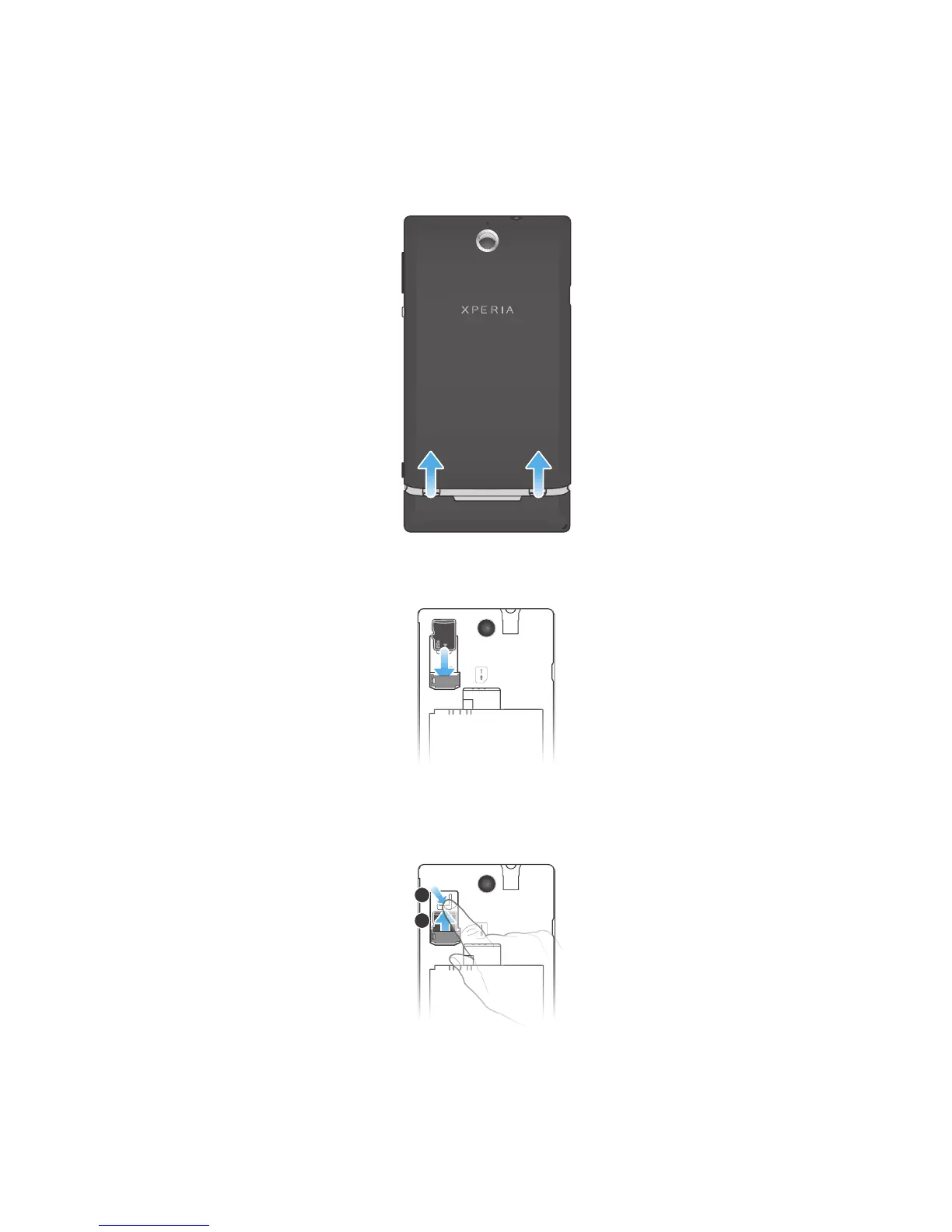
To remove the battery cover
•
Using your thumbs, slide the battery cover off the phone.
To insert a memory card
•
Remove the battery cover and insert the memory card with the gold-coloured
contacts facing down.
To remove the memory card
1
Turn off the phone, or unmount the memory card from Settings > Storage >
Unmount SD card.
2
Remove the battery cover.
3
Press down the plastic clip that holds the memory card in place. While keeping
the clip pressed, use a fingernail to slide out the memory card.
8
This is an Internet version of this publication. © Print only for private use.



 To Next Page