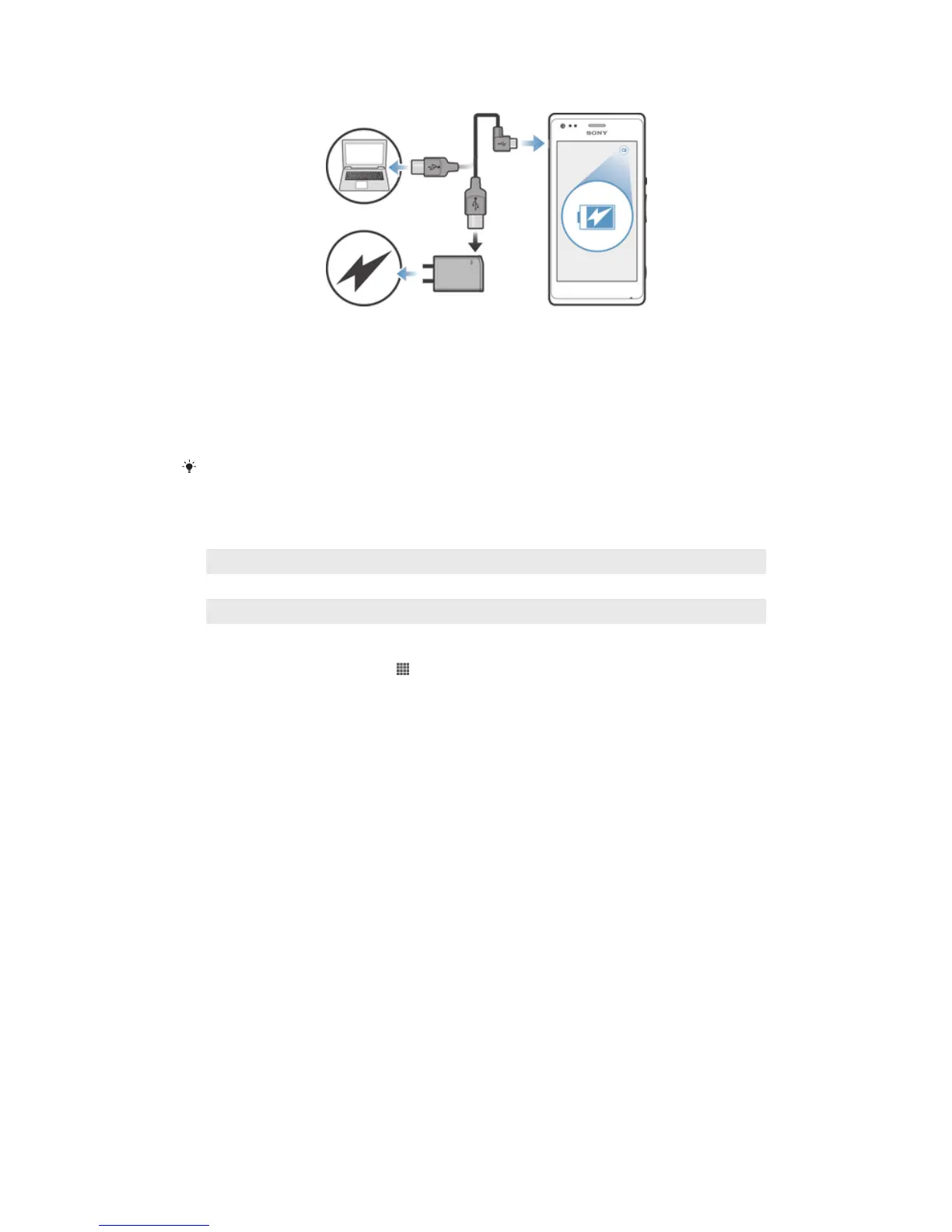
To charge your device
1 Plug the charger into a power outlet.
2 Plug one end of the USB cable into the charger (or into the USB port of a
computer).
3 Plug the other end of the cable into the micro USB port on your device, with the
USB symbol facing up. The notification light lights up when charging starts.
4 When the notification light is green, the device is fully charged. Disconnect the
USB cable from your device by pulling it straight outward. Make sure not to bend
the connector when removing the cable from the device.
If the battery is completely discharged, it may take a few minutes before the notification light
lights up after you connect the charger cable to a power source.
Battery notification light status
Green The battery is fully charged
Flashing red The battery level is low
Orange The battery is charging. The battery level is between low and full
To check the battery level
1 From your Home screen, tap .
2 Find and tap Settings > About phone > Status > Battery level.
Improving battery performance
The following tips can help you improve battery performance:
• Charge your device often. This will not affect the lifetime of the battery.
• Downloading data from the Internet is power consuming. When you're not using the
Internet, you can save power by disabling all mobile data connections from the
Notification panel by dragging down the status bar. This setting does not prevent your
device from transmitting data over other wireless networks.
• Turn off Bluetooth® and Wi-Fi® when you don't need these features. You can turn them
on and off more easily from the Notification panel by dragging down the status bar.
• Use the STAMINA mode and Low battery mode features to reduce battery
consumption. You can select the power saving mode that best suits the way you use
your device. You can also customize the settings of each power saving mode.
• Set your synchronization applications (used to synchronize your email, calendar, and
contacts) to synchronize manually. You can also synchronize automatically, but increase
the synchronization intervals.
• Check the battery usage menu in your device to see which applications use the most
power. Your battery consumes more power when you use video and music streaming
applications, such as YouTube™. Some applications downloaded from Google Play™
may also consume more power.
• Close and exit applications that you are not using.
• Lower the screen display brightness level.
• Turn off your device or activate the Airplane mode setting if you are in an area with no
network coverage. Otherwise, your device repeatedly scans for available networks, and
this consumes power.
15
This is an Internet version of this publication. © Print only for private use.



 To Next Page