Movies
About Movies
Use the Movies application to play movies and other video content that you’ve saved on
your device. The Movies application also helps you get poster art, plot summaries, genre
info, and director details for each movie. You can also play your movies on other devices
that are connected to the same network.
Videos taken with your device's camera are displayed in the Album application, not in the
Movies application.
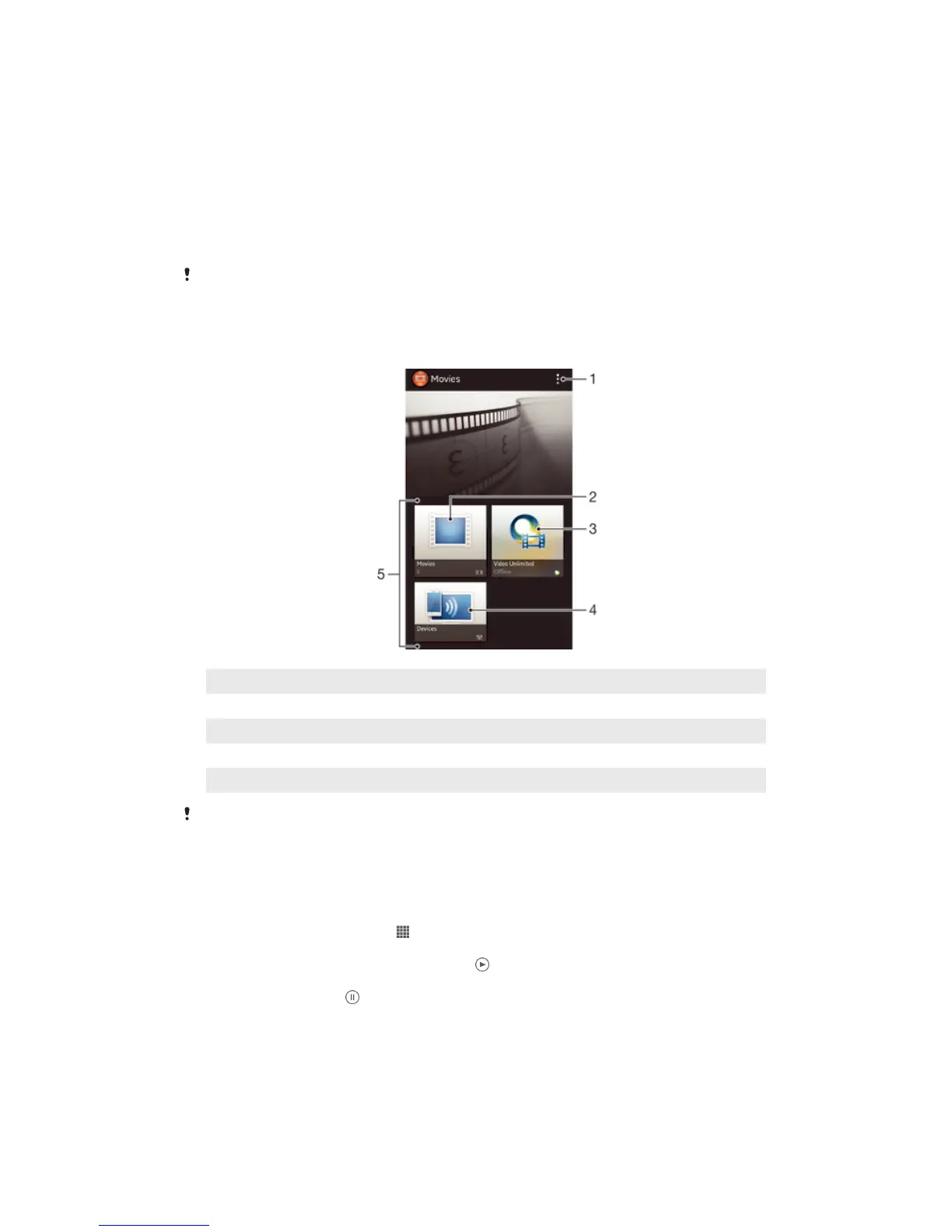
Overview of Movies
1 View menu options
2 Browse all movies
3 Open the Video Unlimited application
4 Browse content on other connected DLNA Certified™ devices
5 All video categories available on your device
Video Unlimited may not be available in all countries or regions.
Using Movies
To play a video in Movies
1 From your Home screen, tap , then find and tap Movies.
2 Select a video category and browse to the video that you want to play.
3 Tap the video you want to select, then tap to play it.
4 To display or hide the controls, tap the screen.
5 To pause playing, tap .
6 To rewind, drag the progress bar marker left. To fast forward, drag the progress
bar marker right.
83
This is an Internet version of this publication. © Print only for private use.



 To Next Page