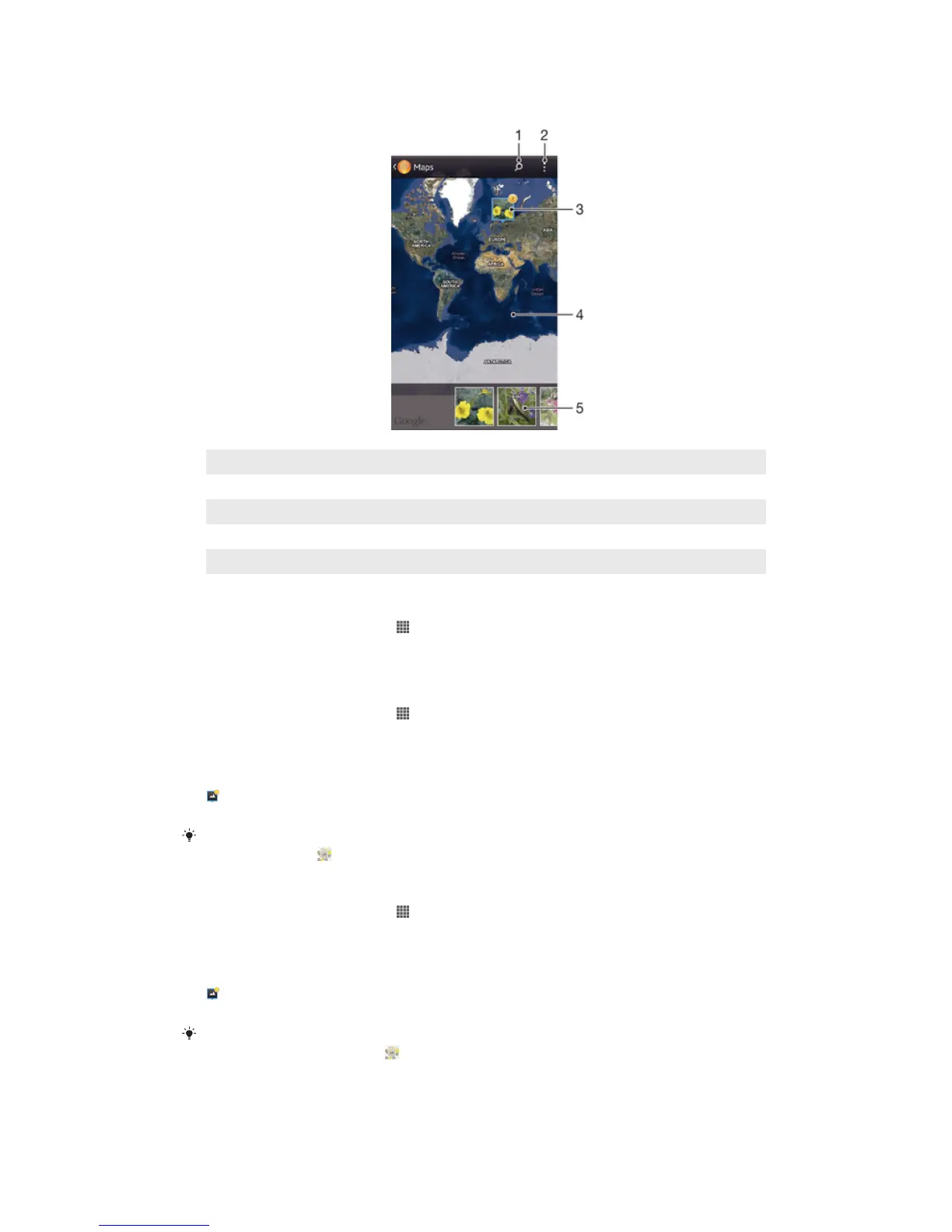
Overview of Maps tile
1 Search a location on the map.
2 View menu options.
3 A group of photos and/or videos geotagged with the same location.
4 Double tap to zoom in. Pinch to zoom out. Drag to view different parts of the map.
5 Thumbnails of the selected group of photos and/or videos. Tap an item to view it in full screen.
To enable location detection
1 From your Home screen, tap .
2 Find and tap Settings > Location services.
3 Mark the GPS satellites and/or Google's location service checkboxes.
To view geotagged photos on a map in Album
1 From your Home screen, tap .
2 Find and tap Album > My albums > Maps.
3 Tap a photo to view it in full screen.
4 If several photos were taken at the same location, only one of them appears on
the map. The total number of photos appears in the top right corner, for example,
. To view these photos, tap the cover photo and then tap one of the thumbnails
at the bottom of the screen.
When viewing a geotagged photo in the photo viewer, you can touch the screen to display the
toolbars, then tap to view the photo on the map.
To view geotagged photos on a globe in Album
1 From your Home screen, tap .
2 Find and tap Album > My albums > Globe.
3 Tap a photo to view it in full screen.
4 If several photos were taken at the same location, only one of them appears on
the map. The total number of photos appears in the top right corner, for example,
. To view these photos, tap the cover photo and then tap one of the thumbnails
at the bottom of the screen.
When viewing a geotagged photo from the camera application, you can touch the screen to
display the toolbars, then tap to view the photo on the map.
81
This is an Internet version of this publication. © Print only for private use.



 To Next Page