Interrupts in Priority
only
Receive notications from this app even when Do not
disturb is set to Priority only.
Note
You can set notication channels to categorise notication levels. Touch and hold a
notication to change the notication categories.
To set the notication level for an app
1 Find and tap Settings > Apps & notications > App info.
2 Select the desired app, then tap App notications.
3 Tap the switches to adjust notication settings as desired.
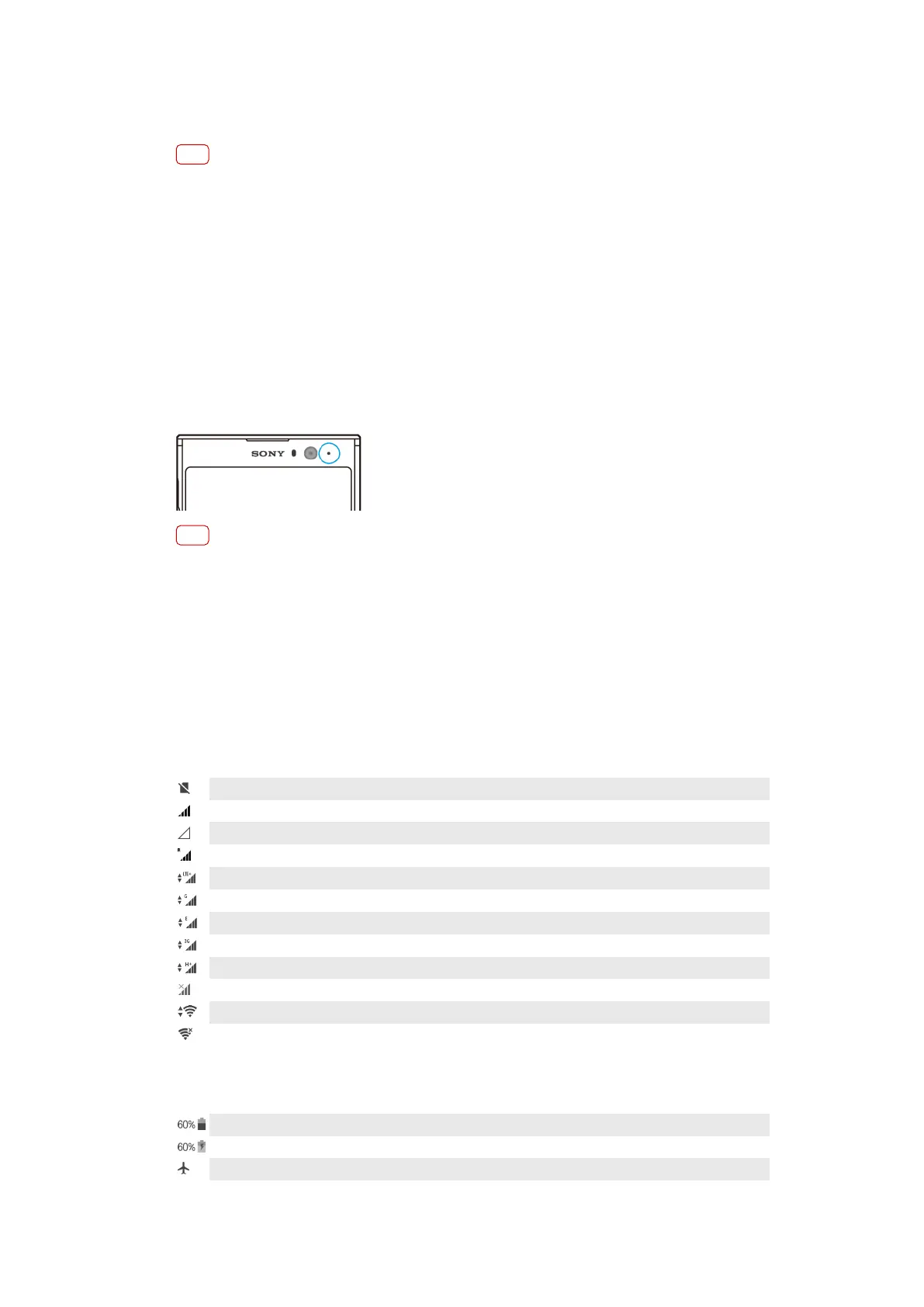
Notication light
The notication light informs you about battery status and some other events. For
example, a ashing white light means there is a new message or a missed call. The
notication light is enabled by default but can be disabled manually.
Note
When the notication light is disabled, it only lights up when there is a battery status
warning, for example, when the battery level goes below 15 percent.
To enable or disable the notication light
1 Find and tap Settings > Apps & notications > Congure notications.
2 Tap the Blink light switch to enable or disable the function.
Icons in the status bar
Status icons
No SIM card
Signal strength
No signal
Roaming
Sending and downloading LTE data
Sending and downloading GPRS data
Sending and downloading EDGE data
Sending and downloading 3G data
Sending and downloading HSPA+ data
Mobile data is disabled
A Wi-Fi connection is enabled and data is being transmitted
A Wi-Fi connection is enabled but there is no internet connection.
This icon also appears when you are trying to connect to a secured Wi-Fi or captive portal
network. After a successful login, the cross mark disappears.
If Google is blocked in your area, the cross mark may appear even when the device is connected
to a network and there is a Wi-Fi working internet connection.
Battery status
The battery is charging
Airplane mode is activated
32
Internet version. For personal use only.







 To Next Page