Full HD
1920×1080 (16:9). Full HD format with 16:9 aspect ratio.
HD
1280×720 (16:9). HD format with 16:9 aspect ratio.
VGA
640×480 (4:3). VGA (Video Graphics Array) format with 4:3 aspect ratio.
MMS
176×144 (11:9). MMS (Multimedia Messaging Service) format with 11:9 aspect ratio.
Record videos suitable for sending in multimedia messages. The recording time of
this video format is limited so that video les can t in a multimedia message.
Diagnosing your camera
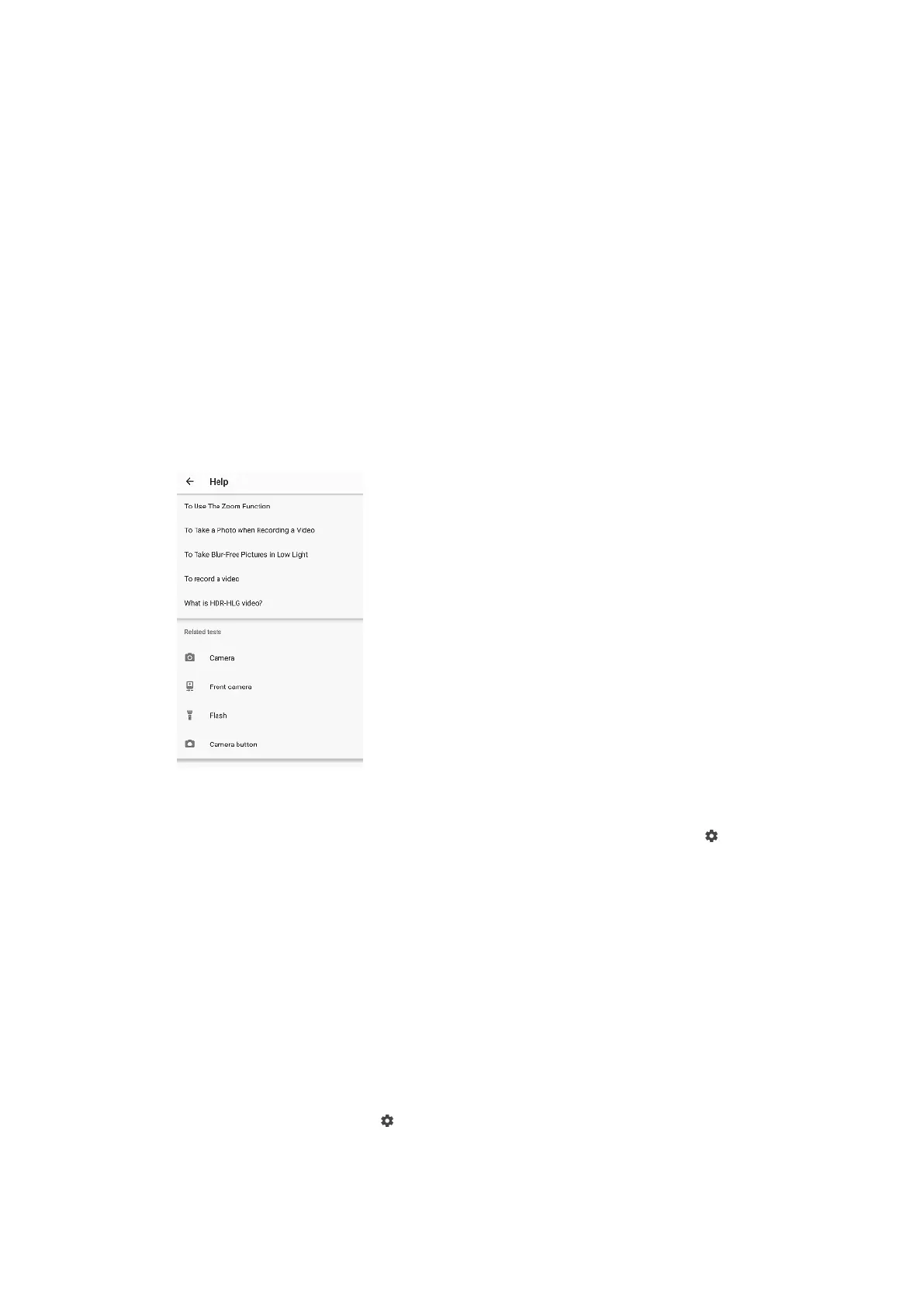
If your camera isn’t working properly, you can run a diagnostics test to identify if
there is a problem with the main camera, front camera, ash, or camera key.
To run a diagnostics test of your camera
1 Make sure you are connected to the internet. When using the camera, tap
(Settings icon).
2 Tap More > Help.
3 Select a category, then follow the on-screen instructions.
Additional camera settings
Geotagging
You can save your photos and videos with the location where they were taken, this
is called geotagging. The option to geotag your photos and videos requires a
wireless network and that the GPS function is enabled.
To turn on geotagging
1 When using the camera, tap (Settings icon).
2 Tap More and tap the Save location switch to enable. The setting is saved.
96
Internet version. For personal use only.








 To Next Page