Help Guide
Digital Camera
ZV-1
Changing shooting modes (Shoot Mode)
You can set the shooting mode according to the subject you wish to shoot or the function you wish to adjust.
Available functions
(Intelligent Auto):
Allows you to shoot with automatic scene recognition.
P (Program Auto):
Allows you to shoot with the exposure adjusted automatically (both the shutter speed and the aperture value (F value)).
Also you can select various settings using the menu.
A (Aperture Priority):
Allows you to adjust the aperture and shoot when you want to blur the background, etc.
S (Shutter Priority):
Allows you to shoot fast-moving subjects etc., by manually adjusting the shutter speed.
M (Manual Exposure):
Allows you to shoot still images with the desired exposure by adjusting the exposure (both the shutter speed and the
aperture value (F value)).
(Sweep Panorama):
Allows you to shoot a panoramic image by compositing the images.
SCN (Scene Selection):
Allows you to shoot with preset settings according to the scene.
MR (Memory recall):
Allows you to shoot an image after recalling often-used modes or numeric settings registered in advance.
(High Frame Rate):
Allows you to shoot movies with a higher frame rate than the recording format so that you can record smooth super-
slow-motion movies.
(Movie):
Allows you to change the exposure mode for movie recording.
( Intelligent Auto):
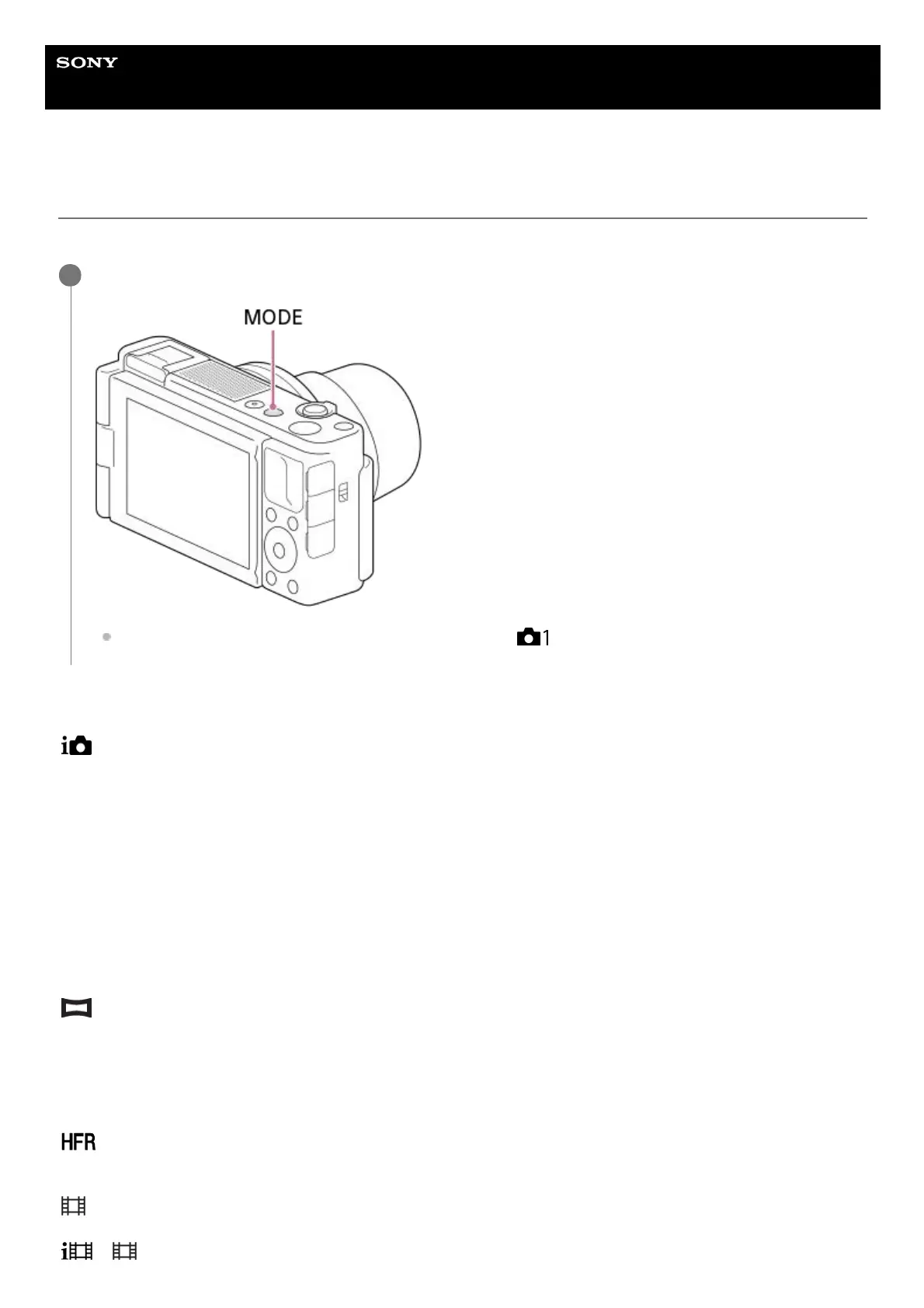
Press the MODE (Mode) button, and then use the control wheel to select the desired shooting mode.
You can also set the shooting mode by selecting MENU → (Camera Settings1) → [Shoot Mode].
1


 To Next Page