Help Guide
Digital Camera
ZV-1
Using the control wheel
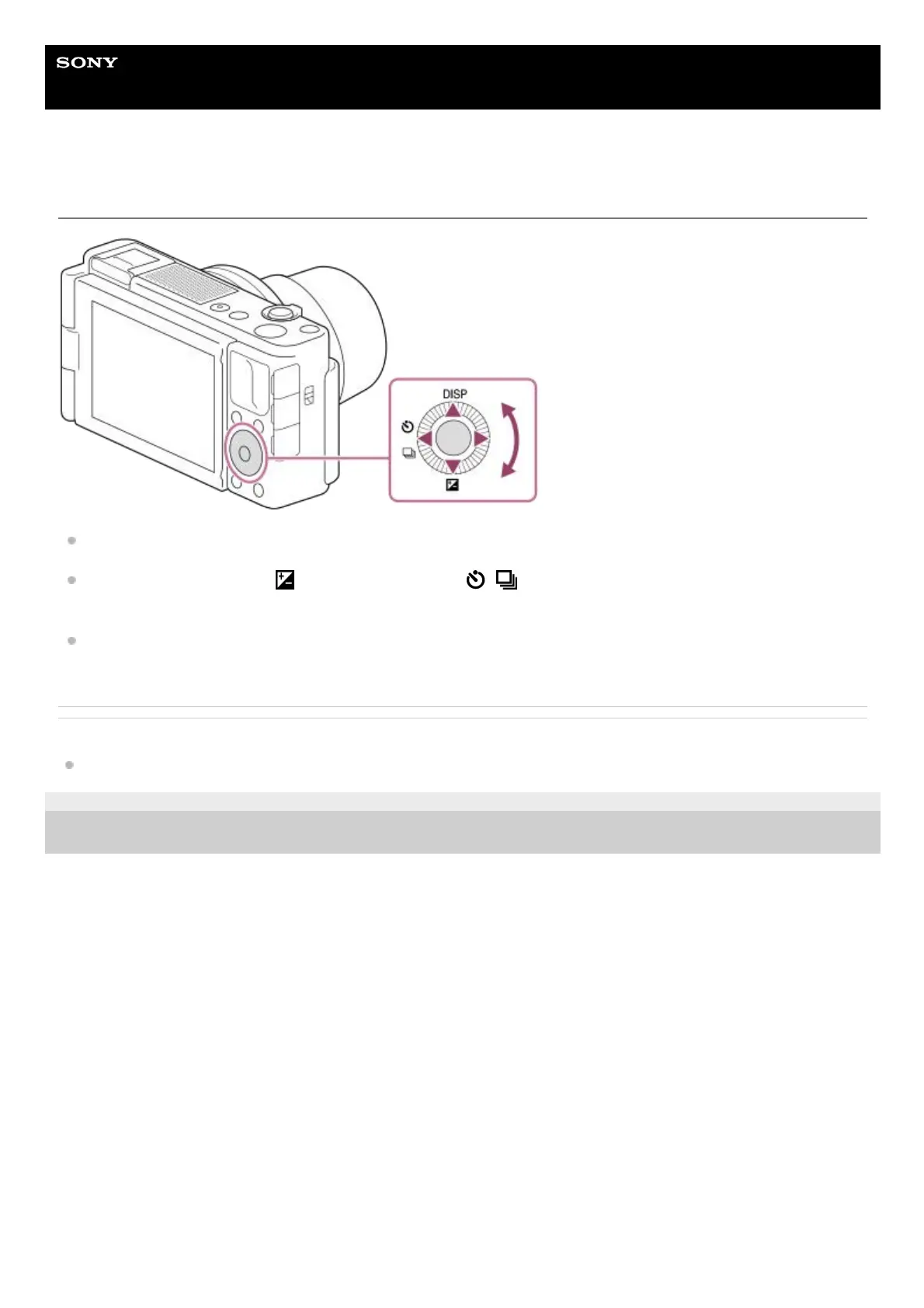
You can select setting items by turning or pressing the top/bottom/left/right side of the control wheel. Your selection is
determined when you press the center of the control wheel.
The DISP (Display Setting),
(Exposure Comp.), and / (Drive Mode) functions are assigned to the
top/bottom/left side of the control wheel. In addition, you can assign selected functions to the left/right side and the
center of the control wheel.
During playback, you can display the next/previous image by pressing the right/left side of the control wheel or by
turning the control wheel.
Related Topic
Assigning frequently used functions to buttons (Custom Key)
5-016-934-11(1) Copyright 2020 Sony Corporation



 To Next Page