Help Guide
Digital Camera
ZV-1
Using MENU items
You can change settings related to all the camera operations including shooting, playback, and operating method. You
can also execute camera functions from the MENU.
Related Topic
Tile Menu
Add Item
Display From My Menu
5-016-934-11(1) Copyright 2020 Sony Corporation
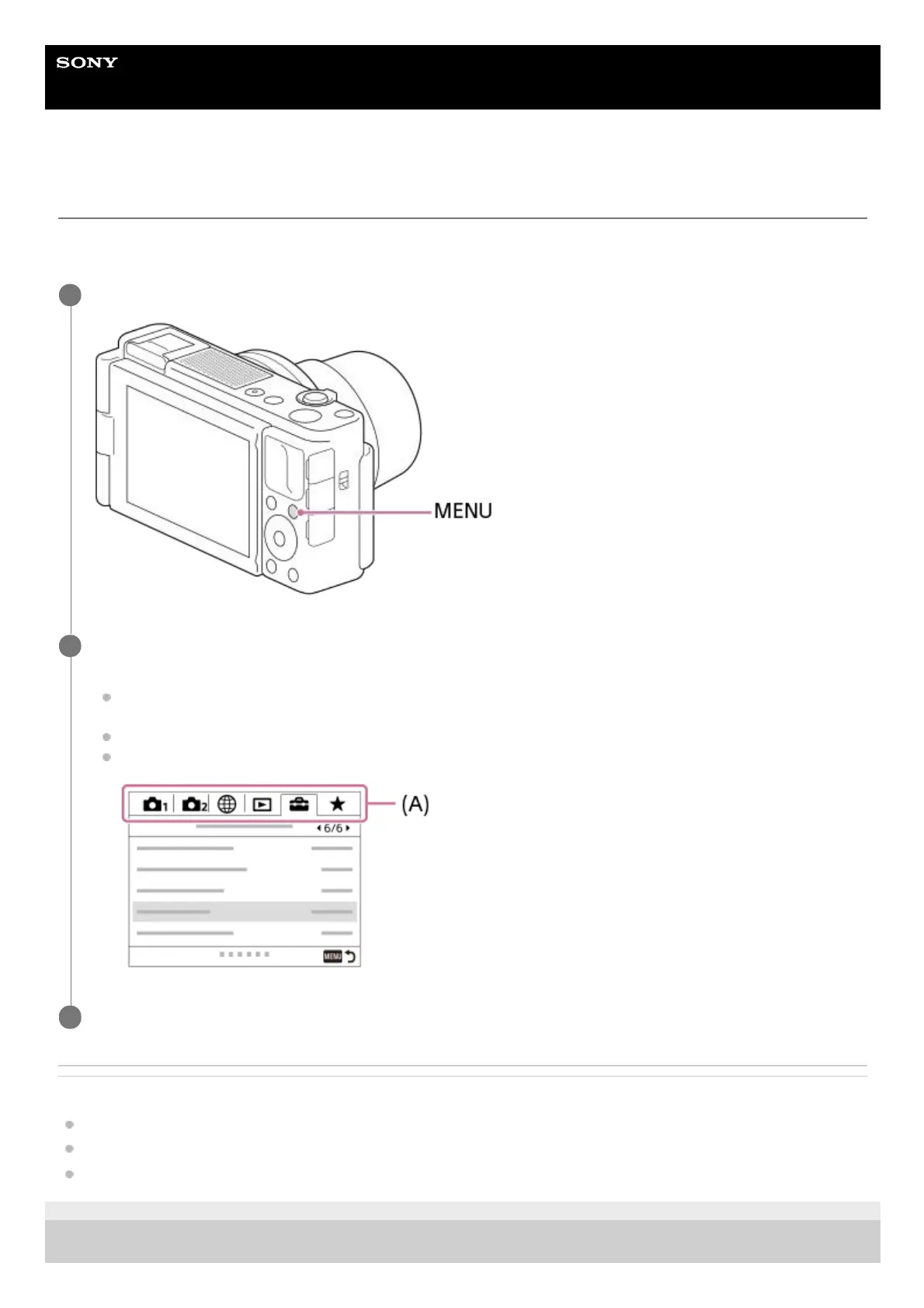
Press the MENU button to display the menu screen.
1
Select the desired setting you want to adjust using the top/bottom/left/right sides of the control wheel or by
turning the control wheel, and then press the center of the control wheel.
Select a MENU tab (A) at the top of the screen, and press the left/right side of the control wheel to move to
another MENU tab.
You can move to the next MENU tab by pressing the Fn button.
You can go back to the previous screen by pressing the MENU button.
2
Select the desired setting value, and press the center to confirm your selection.
3



 To Next Page