Help Guide
Interchangeable Lens Digital Camera
ZV-E1
Cinematic Vlog Set.
You can easily shoot cinematic images. When [Cinematic Vlog Set.] is set to [On], black bars are added at the top and
bottom of the image, and the frame rate is locked to 24 fps.
Menu item details
On:
Shoots images using the cinematic vlog effect. You can configure detailed settings for [Look]/[Mood]/[AF Transition
Speed].
Off:
Does not use the cinematic vlog effect.
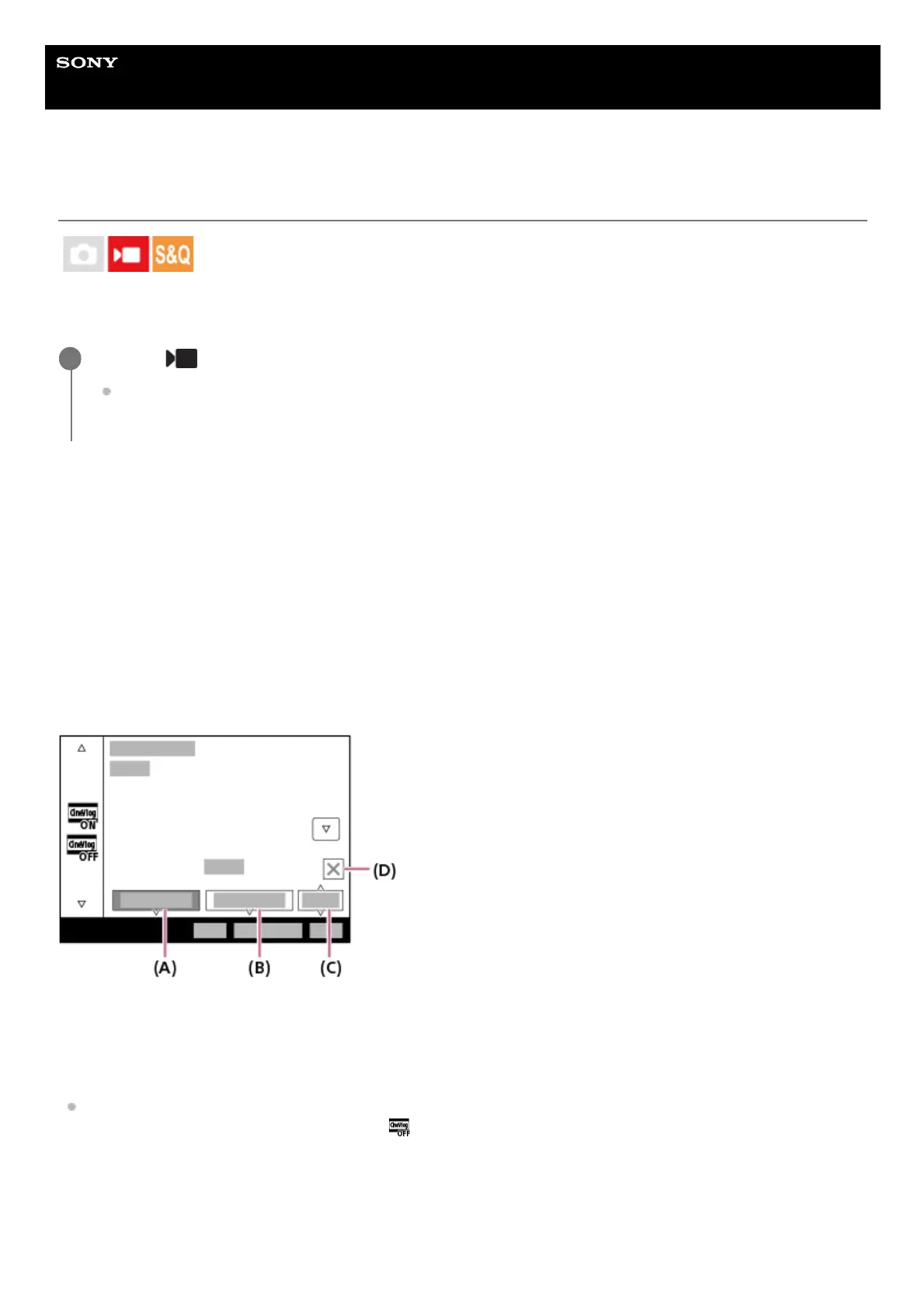
Settings for cinematic vlog
[Look], [Mood], and [AF Transition Speed] can be set according to the image to be shot.
(A): Look
(B): Mood
(C): AF Transition Speed
(D): Close icon
Touch the Close icon to hide the [Look], [Mood], and [AF Transition Speed] submenus. After hiding them, you can
redisplay the submenus by holding down the
(Cinematic Vlog) icon.
Look:
Select the finish of the image from presets that have varied contrast, saturation, etc.
S-Cinetone:
MENU → (Shooting) → [Shooting Option] → [Cinematic Vlog Set.] → desired setting.
When [On] is selected, you can configure detailed settings for the effect by pressing the right side of the control
wheel.
1



 To Next Page