Help Guide
Interchangeable Lens Digital Camera
ZV-E1
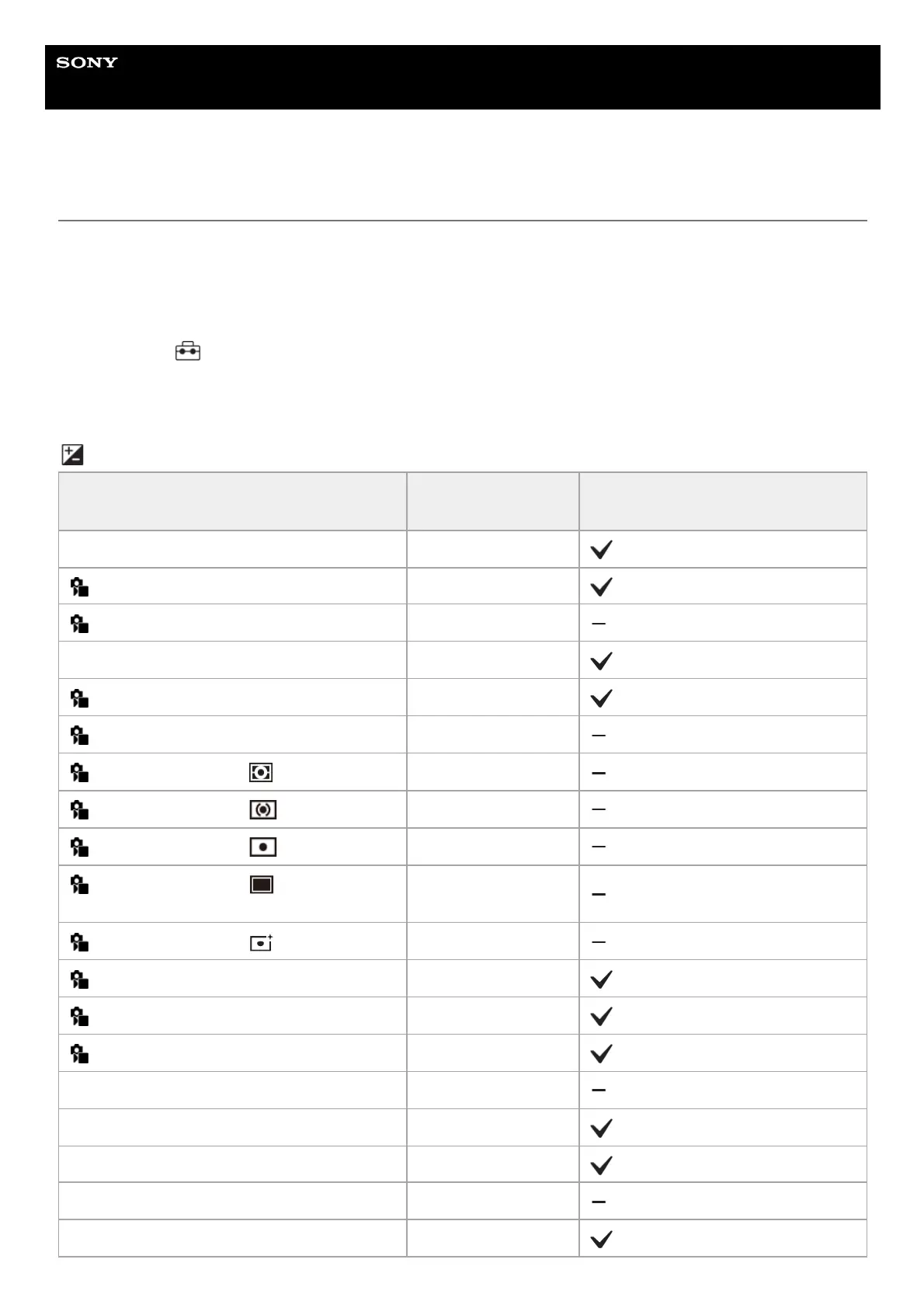
List of default setting values (Exposure/Color)
The default setting values at the time of purchase are shown in the following table.
The content of the menu displayed on the screen differs depending on the position of the Still/Movie/S&Q switch. For
details, refer to “Finding functions from MENU.”
To reset settings to the default values
Select MENU →
(Setup) → [Reset/Save Settings] → [Setting Reset] → [Camera Settings Reset] or [Initialize] →
[Enter].
Initialize: All the settings of the camera will be reset to the default values.
Camera Settings Reset: Items that can be reset are limited. See the following table.
(Exposure/Color) tab
MENU item Default setting value
Resettable using [Camera Settings
Reset]
Auto Slow Shutter On
ISO ISO AUTO
ISO Range Limit ―
ISO AUTO Min. SS Standard
Exposure Comp. ±0.0
Exposure step 0.3EV
Exposure Std. Adjust ( Multi) ±0
Exposure Std. Adjust ( Center) ±0
Exposure Std. Adjust ( Spot) ±0
Exposure Std. Adjust ( Entire Screen
Average)
±0
Exposure Std. Adjust ( Highlight) ±0
Metering Mode Multi
Face Priority in Multi Metering On
Spot Metering Point Center
AEL w/ Shutter Auto
Flash Mode Autoflash
Flash Comp. ±0.0
Exp.comp.set Ambient only
Wireless Flash Off



 To Next Page