Help Guide
Interchangeable Lens Digital Camera
ZV-E1
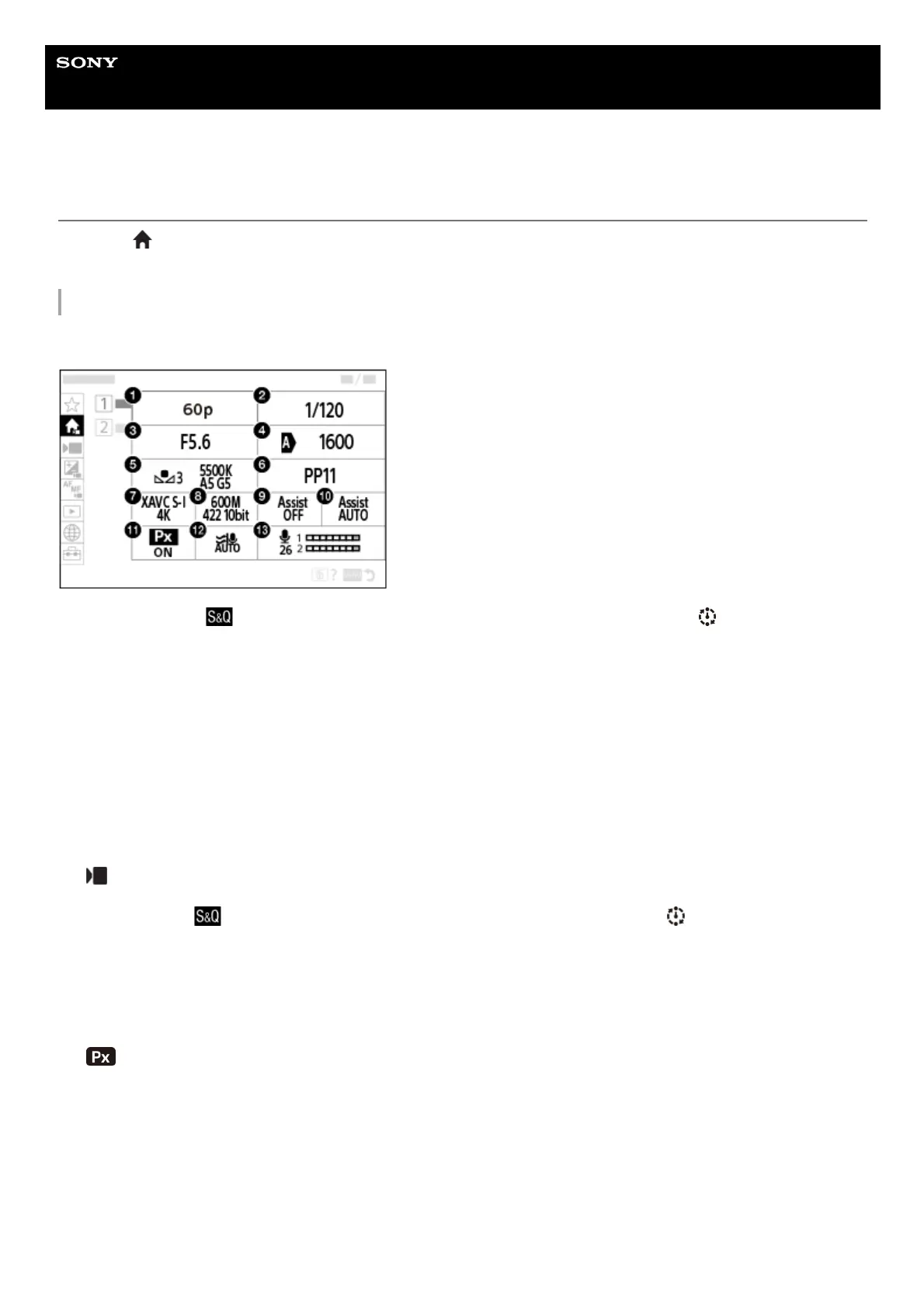
Main menu (shooting setting list)
Select the
(Main) tab on the menu screen to display a list of shooting settings. You can confirm the settings before
shooting or for each scene, and also change the settings directly from this screen.
Main menu for shooting movies
Main 1
Main 2
Rec Frame Rate/
Rec Frame Rate (when shooting slow-motion/quick-motion movies)/ Rec Frame Rate
(when shooting time-lapse)
1.
Shutter Speed2.
Aperture3.
ISO4.
White Balance5.
Picture Profile6.
File Format7.
Record Setting/
S&Q Settings (when shooting slow-motion/quick-motion movies)/ Record Setting (when
shooting time-lapse)
8.
Gamma Display Assist9.
Gamma Disp. Assist Typ.10.
Proxy Recording11.
Wind Noise Reduct.12.
Audio Rec Level13.



 To Next Page