Help Guide
Interchangeable Lens Digital Camera
ZV-E10
Shooting Slow-motion/Quick-motion movies (S&Q Settings)
You can record a moment that cannot be captured by the naked eye (slow-motion recording), or record a long-term
phenomenon into a compressed movie (quick-motion recording). For example, you can record an intense sports scene,
the moment when a bird starts to fly, a blooming flower, and a changing view of clouds or a starry sky.
The movie will be recorded in XAVC S HD format. Sound will not be recorded.
Menu item details
Record Setting:
Selects the frame rate of the movie.
Frame Rate:
Selects the shooting frame rate.
Playback speed
The playback speed will vary as below depending on the assigned [
Record Setting] and [ Frame Rate].
When [NTSC/PAL Selector] is set to NTSC
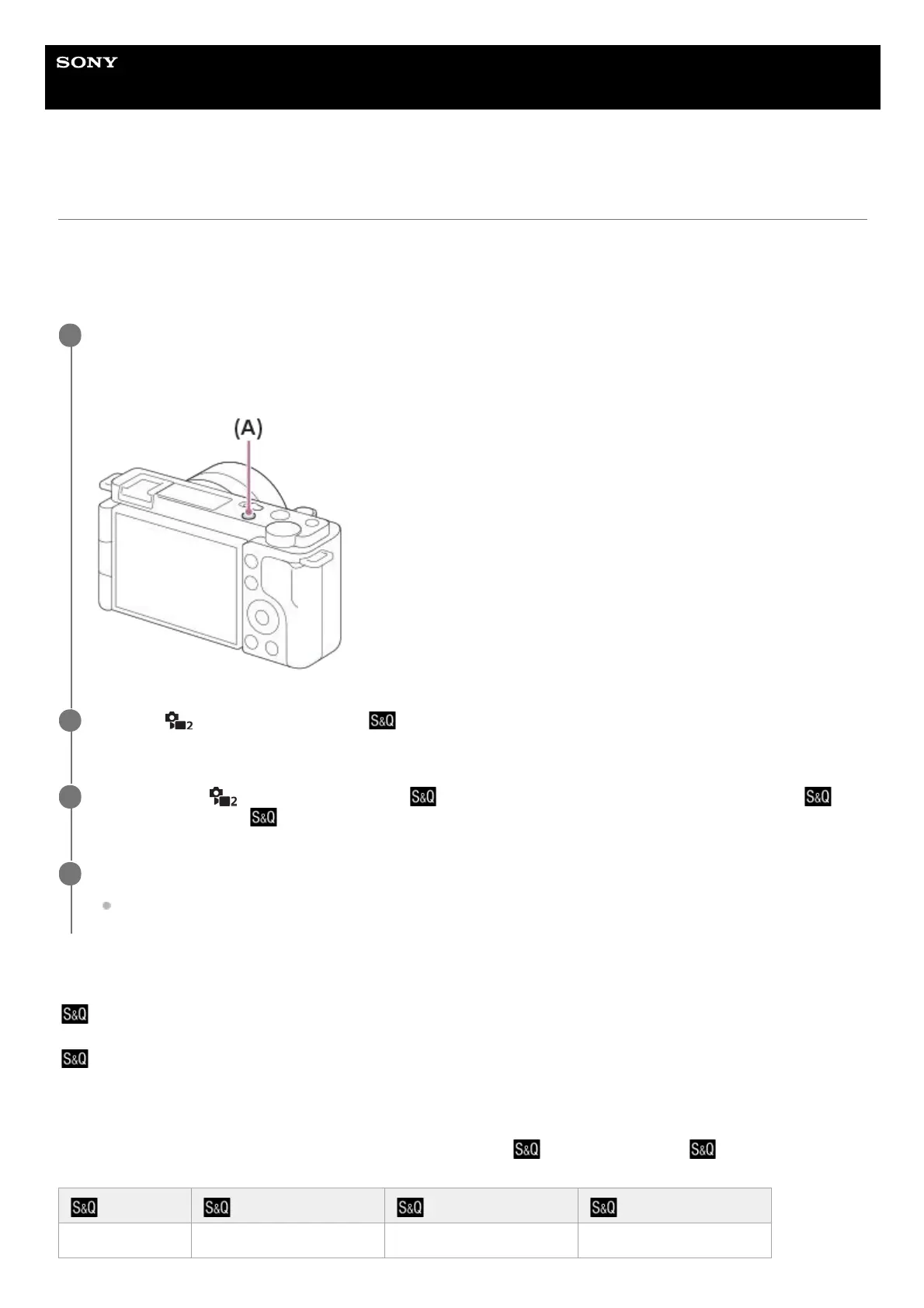
Press the Still/Movie/S&Q button (A) to select the slow-motion/quick-motion recording mode.
Each time you press the button, the shooting mode switches in the order of still image shooting mode, movie
recording mode, and slow-motion/quick-motion recording mode.
1
MENU →
(Camera Settings2) → [ Shoot Mode] → and select the desired setting of slow-
motion/quick-motion (Program Auto, Aperture Priority, Shutter Priority, or Manual Exposure).
2
Select MENU →
(Camera Settings2) → [ S&Q Settings] and select the desired settings for [
Record Setting] and [ Frame Rate].
3
Press the MOVIE (movie) button to start recording.
Press the MOVIE button again to stop recording.
4
Frame Rate Record Setting: 24p Record Setting: 30p Record Setting: 60p
120fps 5 times slower 4 times slower -



 To Next Page