3
2. Mounting and Connection
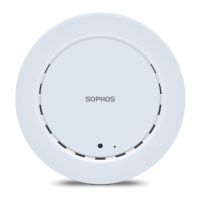
For instructions on how to mount your access point, please see the Operating Instructions under
www.sophos.com/get-started-ap
Connect the LAN (PoE) port of the access point to a PoE switch or PoE injector using an RJ45 Ethernet cable.
Alternatively you can connect the LAN port to an Ethernet switch or Hub and power your access point by an
APX120 Power Supply (available as an accessory from your Sophos partner) as shown below.
Power Supply
r
SwitchSophos Firewall
or Router
Access PointPoE
Injector
PoE SwitchSophos Firewall
or Router
Access Point
Ethernet Switch or HubSophos Firewall
or Router
Access Point
Quick Start Guide APX 120


 To Next Page
 Loading...