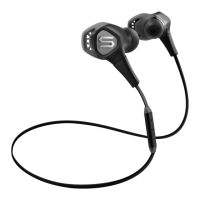
Using Your
Soul®
In-Ear Headphones
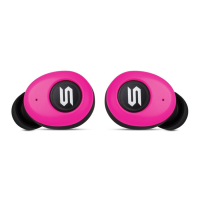
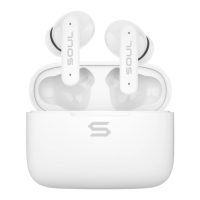
Carefully remove your
Soul®
headphones from
the
protective packaging.
You
will also
find
two
additional pairs
of
ear tips inside
the
road storage
case.
Proper Ear
tip
Selection
Your
Soul®
headphones include three pairs
of
ear tips. One pair
of
medium sized tips
are already installed on your headphones and there are
two
additional pairs inside the
storage
case
(large and small). Proper
fit
of
the
headphones in your
ears
is
essential for
the
best possible sound performance and comfort. Improper
fit
will
not
allow you
to
take full advantage
of
the sound quality.
By
selecting the right set
of
ear tips you will
create a proper
seal
for sound isolation from external noises.
You
will also be able
to
fully benefit from increased
bass
response and overall better sound.
Ear Tip Replacement
Try
the
fit
of
the headphones
with
the tips already installed. If the headphones feel
too
loose, then replace the tips with
the
slightly larger tips provided. If they feel
too
tight
replace
with
the smaller tips provided.
1.
Firmly grip the portion
of
the right headphone
with
one hand.
2.
Gently pull the ear
tip
from the right headphone.
You
may need
to
rotate back and forth for
easy
removal and
to
prevent damage
to
the existing tips. Repeat procedure for left
headphone.
3.
While holding the right headphone, gently insert the new ear
tip
onto the ear
tip
tube
until
it
is
firmly secured
to
the headphone. Repeat procedure for left headphone. Once again you
may need
to
use
a rotating back and forth motion
to
insert the ear tips on the headphone ear
tip
tube.
Once you have found the proper fit, you are ready
to
start enjoying the full range and
quality
of
your
Soul®
headphones.
Ear Tip Maintenance
It
is
recommended that you clean your ear tips on a regular
basis.
This will maintain
the
sound quality
of
your headphones
so
you
can
continue
to
enjoy your music and
benefit from the full sound range. It
is
also
important
to
clean your ear tips
to
maintain
safe
use.
Gently remove the ear tips from
the
headphones.
Wash
with
warm water and
mild soap. Remove all
dirt
and earwax buildup.
Rinse
thoroughly
with
warm water. Dry
using a soft cloth and let
dry
fully before placing back on your headphones.
A Caution
Never
use
any harsh cleaning agents.
Never clean ear tips while still on headphones. Water may damage the circuitry inside
your
Soul®
headphones causing permanent damage.
Do
not
place the headphones in your ear
if
they are still wet.
3



 To Next Page
 Loading...