-14-
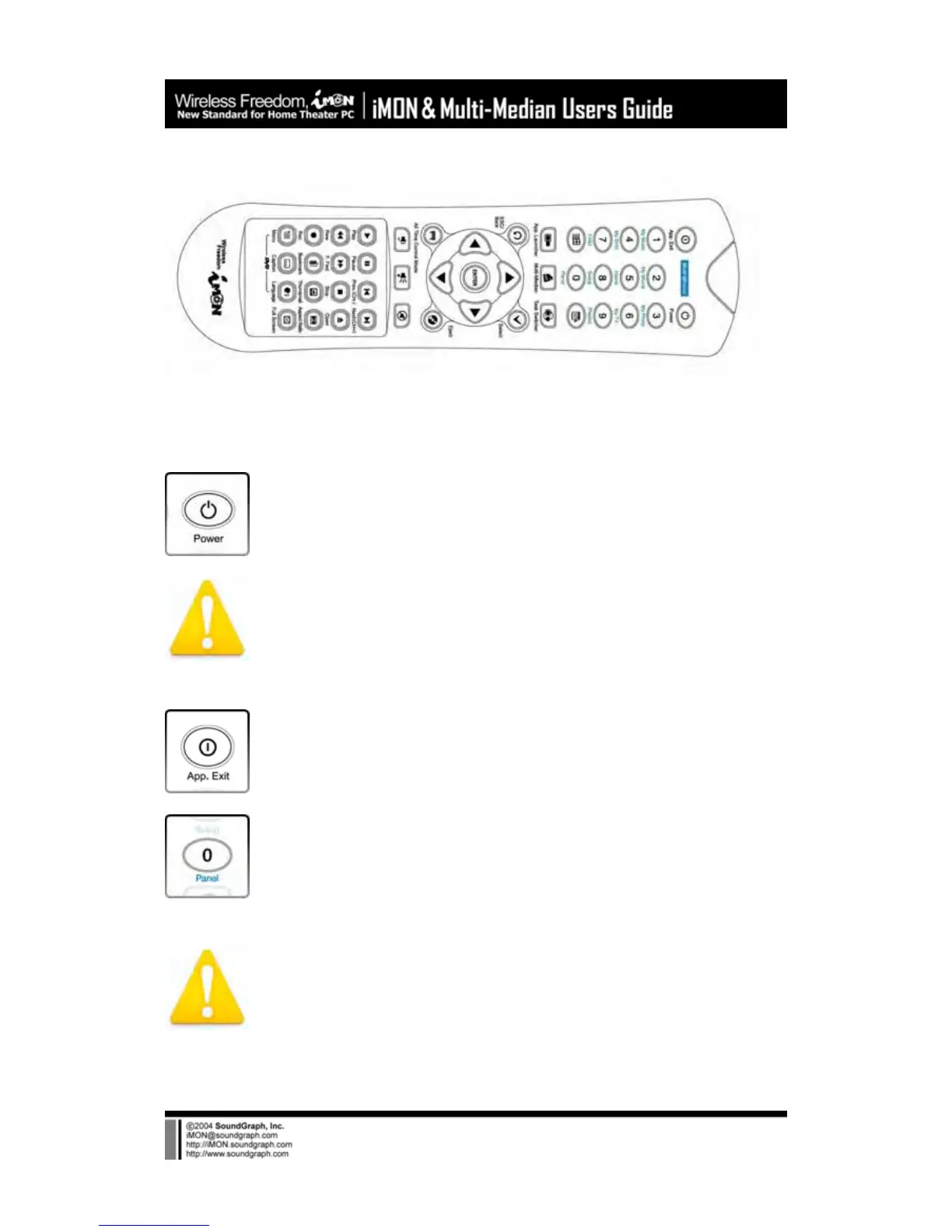
2) iMON MM Remote Controller
iMON MM (Multi-Median) remote controller is designed in order to use every functions of Multi-
Median. The detail features of each button are as like follows.
Power : This button is used to turn on or turn off the PC. You need to push this
button more than 2 seconds in order to turn off the PC.
The Power ON feature is supported on the internal type iMON Station
model, iMON Inside, iMON Inside PLUS only.
App. Exit : This button generates the keyboard short cut, [ALT]+[F4] key
combination, which is used for closing the active window.
Num 0~9 : The numeric buttons from 0 to 9 are custom buttons that could be
assigned by users. These buttons act as a shortcut of the media view on the
Multi-Median application as printed like below the button.
Please refer to the Multi-Median Users Guide in order to learn about
the button usage on the Multi-Median.



 To Next Page